
Back
SAHAR
SAHAR
See it on
desktop

UX Case Study · 2024
Kindergarten
Management System
Dayar
A comprehensive platform that streamlines administration and strengthens parent–teacher communication — reimagined here as an illustrated desktop you can peek into.
This design was generated with AI assistance.
Back
SAHAR
SAHAR
See it on
desktop
UX Case Study · 2024
Kindergarten
Management System
Dayar
A comprehensive platform that streamlines administration and strengthens parent–teacher communication — reimagined here as an illustrated desktop you can peek into.
This design was generated with AI assistance.


Back
My CV

DAYAR
kindergarten management system

The Product
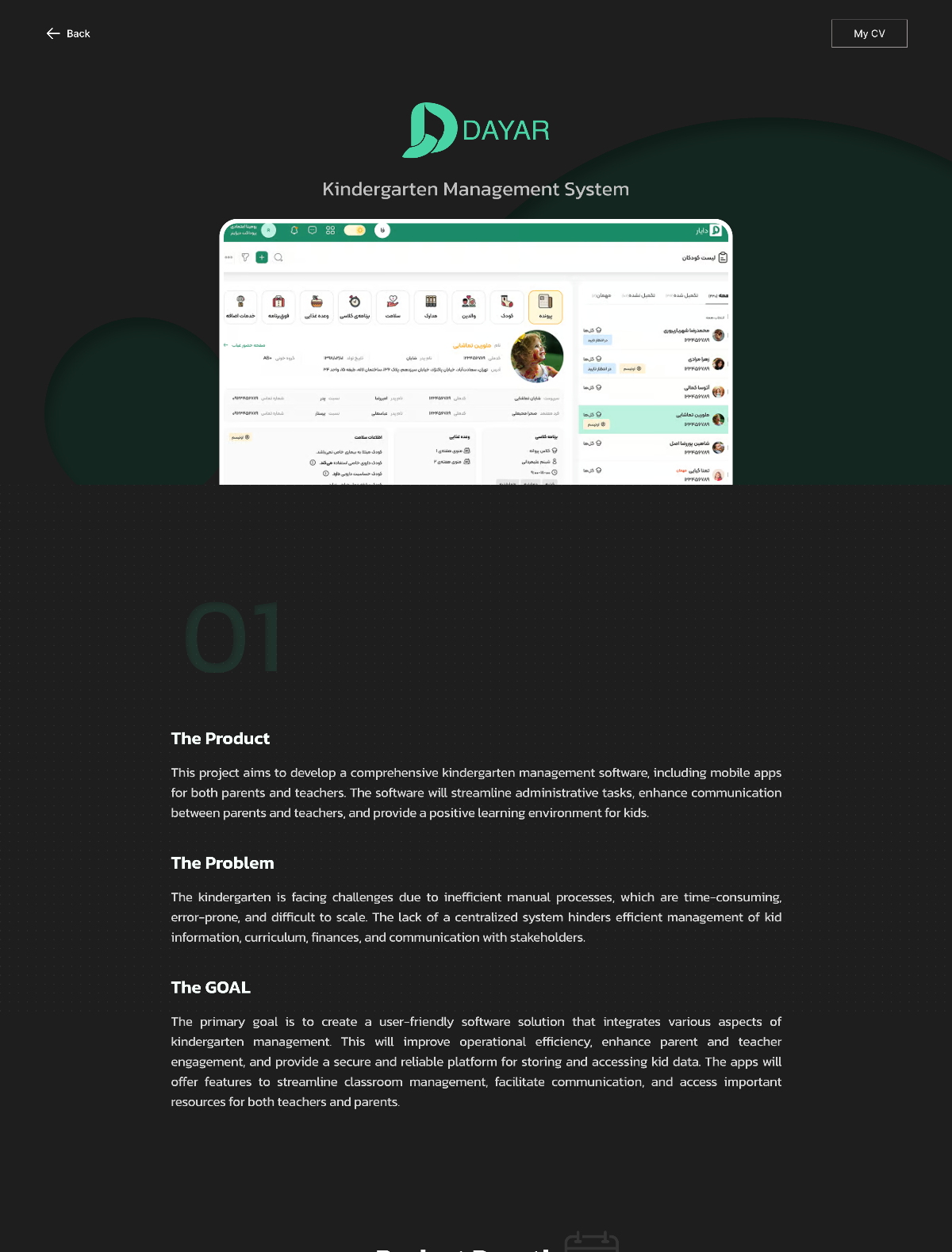
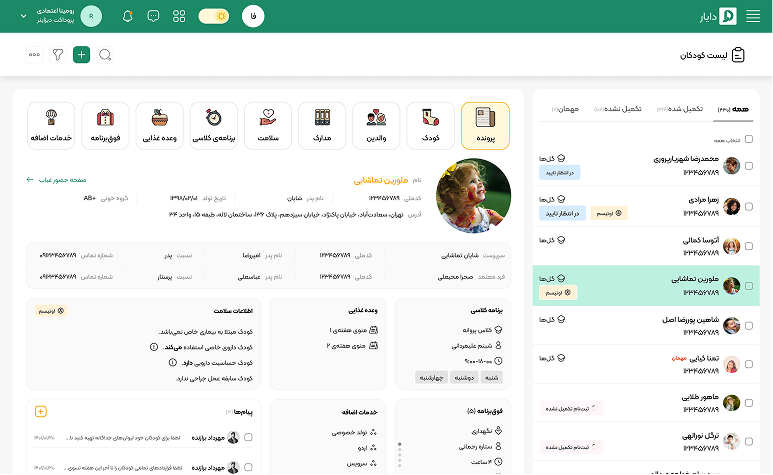
This project aims to develop a comprehensive kindergarten management software, including mobile apps for both parents and teachers. The software will streamline administrative tasks, enhance communication between parents and teachers, and provide a positive learning environment for kids.
The Problem
The kindergarten is facing challenges due to inefficient manual processes, which are time-consuming, error-prone, and difficult to scale. The lack of a centralized system hinders efficient management of kid information, curriculum, finances, and communication with stakeholders.
The GOAL
The primary goal is to create a user-friendly software solution that integrates various aspects of kindergarten management. This will improve operational efficiency, enhance parent and teacher engagement, and provide a secure and reliable platform for storing and accessing kid data. The apps will offer features to streamline classroom management, facilitate communication, and access important resources for both teachers and parents.
Project Duration
9
MONTH

DEC 2023 to AUG 2024
USER CENTERED DESIGN PROCESS


EMPATHIZE

DEFINE

IDEATE

PROtoTYPE

TEST

EMPATHIZE
User Research Summary
The empathy research for the kindergarten management software project focused on understanding the emotional experiences and challenges faced by kindergarten staff, parents, and kids. Through empathy maps, shadowing and diary studies, we gained insights into their needs, motivations and pain points. Key findings revealed that staff are overwhelmed by administrative tasks, parents desire more transparency and communication, and kids seek engaging learning experiences. These insights will inform the design and development of the software to create a more supportive and efficient learning environment.
User Research Pain Points
01
Kindergarten
- Overwhelming paperwork: Dealing with a large volume of administrative tasks, such as kid records, attendance tracking, and financial reports.
- Manual data entry: Time-consuming and error-prone process of manually entering financial data.
- Lack of oversight: Difficulty in monitoring and managing various aspects of the kindergarten's operations and accessing up-to-date financial data for analysis and reporting.
02
Teachers
- Time-consuming administrative tasks: Spending significant time on non-teaching tasks, such as grading, lesson planning, and communication with parents.
- Difficulty tracking kid progress: Challenges in monitoring kid progress and identifying areas for improvement.
- Limited communication tools: Lack of effective tools for communicating with parents and the administration.
03
Parents
- Lack of transparency: Difficulty in accessing information about their kid's progress, activities, and the kindergarten's policies.
- Time-consuming communication: Challenges in communicating with teachers and the administration, often requiring multiple channels.
- Financial concerns: Concerns about tuition fees, billing, and payment processes
DEFINE
Kindergarten Operator Persona
Mohammad’s Goals and Needs:
- Streamlined Class Scheduling: Develop an efficient class schedule that accommodates all kids's needs.
- Effective Financial Management: Oversee budgeting, payments, and financial reporting to ensure sustainability.
- Improved Communication: Establish clear communication channels with parents and staff for updates and feedback.
- Staff Development: Ensure ongoing training and professional development opportunities for educators.
- Quality Assurance: Maintain high standards in education and care through regular assessments.
- Resource Optimization: Maximize the use of available resources to enhance the learning environment.
- Collaboration with Specialists: Coordinate with external specialists for inclusive education strategies.
Frustrations:
- Complex Scheduling Challenges: Difficulty in creating a class schedule that meets diverse needs.
- Administrative Overload: Managing a high volume of paperwork and financial records can be overwhelming.
- Limited Access to Technology: Insufficient tools for integrated management of educational and financial tasks.
- Communication Gaps: Ineffective communication with parents can lead to misunderstandings.
- Staffing Issues: Difficulty in recruiting and retaining qualified staff due to budget constraints.
- Pressure for Accountability: Need to demonstrate progress and quality to parents and regulatory bodies.
- Time Constraints: Limited time to focus on strategic planning due to day-to-day operational demands.
- Resource Limitations: Struggling to find adequate resources to meet both educational and developmental needs.
“ As a director, I aim to create an enriching environment while managing the complexities of education and finances.”
The director uses the Dayar platform to streamline class scheduling and manage financial records effectively. The app allows for easy tracking of payments and budgets while providing a communication tool for updates to parents. It helps the director coordinate with staff and specialists, ensuring a cohesive approach to education and care.
Mohammad Rezaei
age
45 years old
job Kindergarten Director
education Master's degree in Accounting
Socio-economic Status Middle class

Parents Persona
Leila’s Goals and Needs:
For the kid with autism:
- Access to educational and therapeutic programs to improve social and behavioral skills.
- Precise and transparent tracking of the kid’s progress through regular reports.
- Consistent coordination with the therapeutic team and teachers via a strong communication platform.
For the typical kid:
- Ensuring enough attention to her daughter’s growth and learning with appropriate programs.
- Balancing attention and time between both kids fairly.
- Enhancing her daughter’s social skills to improve interaction at preschool.
Frustrations:
- Emotional and psychological pressure: Leila faces significant stress. Managing the needs of both her autistic and typical kid is exhausting and causes her constant worry about neglecting one of them.
- Lack of time for specialized follow-up: She struggles to consistently focus on her son’s therapeutic programs while also keeping up with her daughter’s learning activities.
- Limited access to sufficient educational resources: At times, Leila feels overwhelmed in finding suitable and diverse educational materials for both her kids, especially her typical kid.
- Balancing personal time and self-care: With the constant demands of managing both kids’s needs, Leila finds it difficult to carve out time for herself, leading to emotional burnout and fatigue.
“ As a busy employee, I seek to balance the needs of my kids while managing the challenges and growth of both of my kids.”
Leila uses Dayar to manage her son’s therapeutic and educational programs, receiving regular progress reports and recommendations from his teachers and the therapeutic team. Additionally, she leverages Dayar's educational features to find appropriate activities for her 4-year-old daughter’s growth and development. Dayar helps her balance the needs of both kids, reducing her emotional and time-related pressures
Leila Hoseini
A parent of two kids, one with special needs and the other normal, an 8-year-old boy with autism and a 4-year-old girl
job
age
40 years old
Administrative Employee

Socio-economic Status Middle class
Teachers persona
Mona’s Goals and Needs:
- Kids’s Educational Progress: Ensuring each kid progresses according to their special or typical needs.
- Individualized Planning: Designing personalized educational and therapeutic programs for each kid.
- Continuous Parent Communication: Keeping parents informed about the kids’s daily progress and status.
- Efficient Time Management: Balancing time effectively to work with kids with diverse needs.
- Behavioral Monitoring: Tracking behavioral changes and improvements in both autistic and neurotypical kids.
- Skill Development: Fostering essential life skills, social interactions, and communication abilities in all kids.
- Collaboration with Specialists: Coordinating with therapists and specialists to implement holistic approaches for each kid.
Frustrations:
- Program Management Complexity: Difficulty in creating individualized programs for both autistic and neurotypical kids.
- Lack of Comprehensive Tools: No unified system to track educational and therapeutic progress.
- Challenges in Parent Coordination: Difficulty in maintaining effective communication with parents.
- Resource Limitations: Limited access to sufficient resources and tools for both groups of kids.
- Emotional Exhaustion: Feeling overwhelmed by the emotional demands of working with kids with diverse needs.
- Insufficient Training: Lack of ongoing professional development opportunities to address both autistic and neurotypical kids’s needs.
- Time Constraints: Difficulty in finding enough time to address the unique needs of each kid adequately.
“As a teacher, I want to know about my weekly schedule and be able to communicate directly with the kids's parents.”
This teacher uses the Dayar app to monitor the progress of each kid, whether autistic or neurotypical. They set up educational programs through the app and share the results with parents. Dayar allows the teacher to send detailed daily reports and maintain fast and effective communication with parents.
Mona Alizadeh
age
34 years old
job Kindergarten teacher specializing in working with autistic and neurotypical kids
education Master’s in Kid Psychology
Socio-economic Status Middle class

Parents Journey Map
TASKS
Leila regularly provides feedback on Dayar’s features and participates in community discussions to suggest improvements.
Leila uses Dayar to track her kids’s activities, monitor homework, and communicate with teachers about her son’s therapy sessions.
Leila decides to enroll her son in a kindergarten through Dayar, completing the registration process and selecting programs while scheduling visits.
Leila learns about Dayar through parenting groups and online forums, researching features and discussing them with other parents.
Leila explores Dayar’s website, reviews testimonials, and compares kindergartens available on the platform, focusing on programs for her son.
FEELINGS
Curious and hopeful but slightly overwhelmed by choices.
Increasingly optimistic but cautious about the effectiveness of the kindergartens.
Excited but nervous about the transition.
Relieved and satisfied as she sees her kids’s progress in one place.
Overall satisfaction but desires more customization options.
ACTIONS

Awareness

Research

Decision

Engagement

Review
OPPORTUNITIES
- Provide an onboarding guide for easy registration.
- Offer personalized recommendations for each kid's needs.
- Add real-time updates on kids's activities and progress.
- Provide easy communication tools for parents and educators.
- Offer comparison tools for evaluating kindergartens.
- Share success stories from families using Dayar.
- Highlight Dayar's benefits for parents of all kids.
- Provide webinars or Q&A sessions to address concerns.
- Establish a feedback loop to prioritize user feature suggestions.
- Host community forums to gather insights and build a parent community.
Kindergarten Journey Map
TASKS
The director monitors Dayar's effectiveness and offers feedback for improvements in resource allocation and communication tools.
The director uses Dayar to manage schedules, track payments, and communicate with parents, enjoying simplified administration and financial oversight.
The director decides to implement Dayar, setting up schedules and financial records while collaborating with the onboarding team for a smooth process.
The director discovers Dayar at a conference, learning it simplifies tasks like scheduling and financial management.
The director researches Dayar through reviews, the website, and conversations with peers to evaluate its ability to simplify scheduling and financial tasks.
FEELINGS
Curious but uncertain about whether Dayar will meet the specific needs of his kindergarten.
he feels hopeful about Dayar's benefits but wary of onboarding challenges.
he feels overwhelmed by the setup but reassured by training and support.
he feels relieved and satisfied as Dayar reduces paperwork and enhances communication.
he values the system but seeks more tailored features for accountability.
ACTIONS

Awareness

Research

Decision

Engagement

Review
OPPORTUNITIES
- Provide tailored help during onboarding.
- Focus on class scheduling and financial integration.
- Offer updates for financial and scheduling changes.
- Tailor communication for staff and parents.
- Provide feature details and video guides.
- Highlight feedback on efficiency gains.
- Offer demos to showcase Dayar’s solutions.
- Highlight administrative and educational benefits for kindergartens.
- Prioritize user feature suggestions.
- Gather insights and foster a parent community.
Teachers Journey Map
TASKS
The teacher gives feedback on Dayar for better scheduling and reporting for autistic students, while refining her use of the platform to address diverse needs.
The teacher uses Dayar to manage daily schedules, track student progress, and communicate with parents through real-time updates and homework submissions.
The teacher uses Dayar for class scheduling and educational planning, tracking progress and coordinating updates with parents.
The teacher learns her kindergarten uses Dayar for class management and parent communication, and she explores its features.
The teacher studies Dayar through peer observation and feedback, emphasizing student scheduling and communication with parents.
FEELINGS
Cautious and curious about whether the platform will streamline her current processes.
Warily optimistic about the platform's integration with her classroom management.
Initially overwhelmed, she grows comfortable with the app's scheduling and communication tools.
Dayar eases her time management, student tracking, and parent communication.
Generally satisfied but seeking enhancements for personalized and flexible student scheduling.
ACTIONS

Awareness

Research

Decision

Engagement

Review
OPPORTUNITIES
- Customized onboarding for teachers.
- Focus on diverse student needs.
- Guidance for parent communication.
- Enhance schedule customization.
- Boost parent communication.
- Upgrade daily activity notifications.
- Highlight scheduling ease.
- Provide real-time updates ans emphasize personalized tracking.
- teacher support forums.
- Easy onboarding for Dayar's simplicity.
- Streamlined scheduling and tracking.
- Tutorials for customized student plans.
- Gather teacher input on tools.
- Update features based on feedback.
- Improve personalized planning options.

IDEATE
Affinity Diagram


USER FLOWS










KIDS LIST

ADD KID DATA (GENDER,NAME,
FATHER NAME..)
KID CASE EMPTY

ADD KID INFO
ADD PARENT INFO
UPLOAD KID DOCUMENT

ADD NEW KID

Registering a kid without completing the information
Completion of information
HEALTH DOCUMENT FORM
ADD CLASS INFO
CHOOSE FOOD MENU
CHOOSE
SPECIAL
SERVICE
(OPTIONAL)
CHOOSE EXTRA SERVICE
(OPTIONAL)
INVOICE VIEW
SAVE
Confirm and send to finance
CONFIRMATION
DOWNLOAD INVOICE PDF










INBOX

HOMEWORK PAGE
ADD HOMEWORK INFO
HOMEWORK INFO
DETAIL OF MAHDI’S HOMEWORK
DETAIL OF MAHSA’S HOMEWORK
SELECT Grade for MAHDI
ADD NEW HOMEWORK
SELECT MAHDI’S HOMEWOK
SAVE
SAVE
SAVE AND NEXT
SELECT CALSS TYPE
CHOOSE HOMEWORKS
HOMEWORKS DETAIL




INBOX

HOMEWORK INFO
kid homework list
CHOOSE HOMEWORKs
select one homework
upload photo of homework
homework chat detail
back
Wireframing
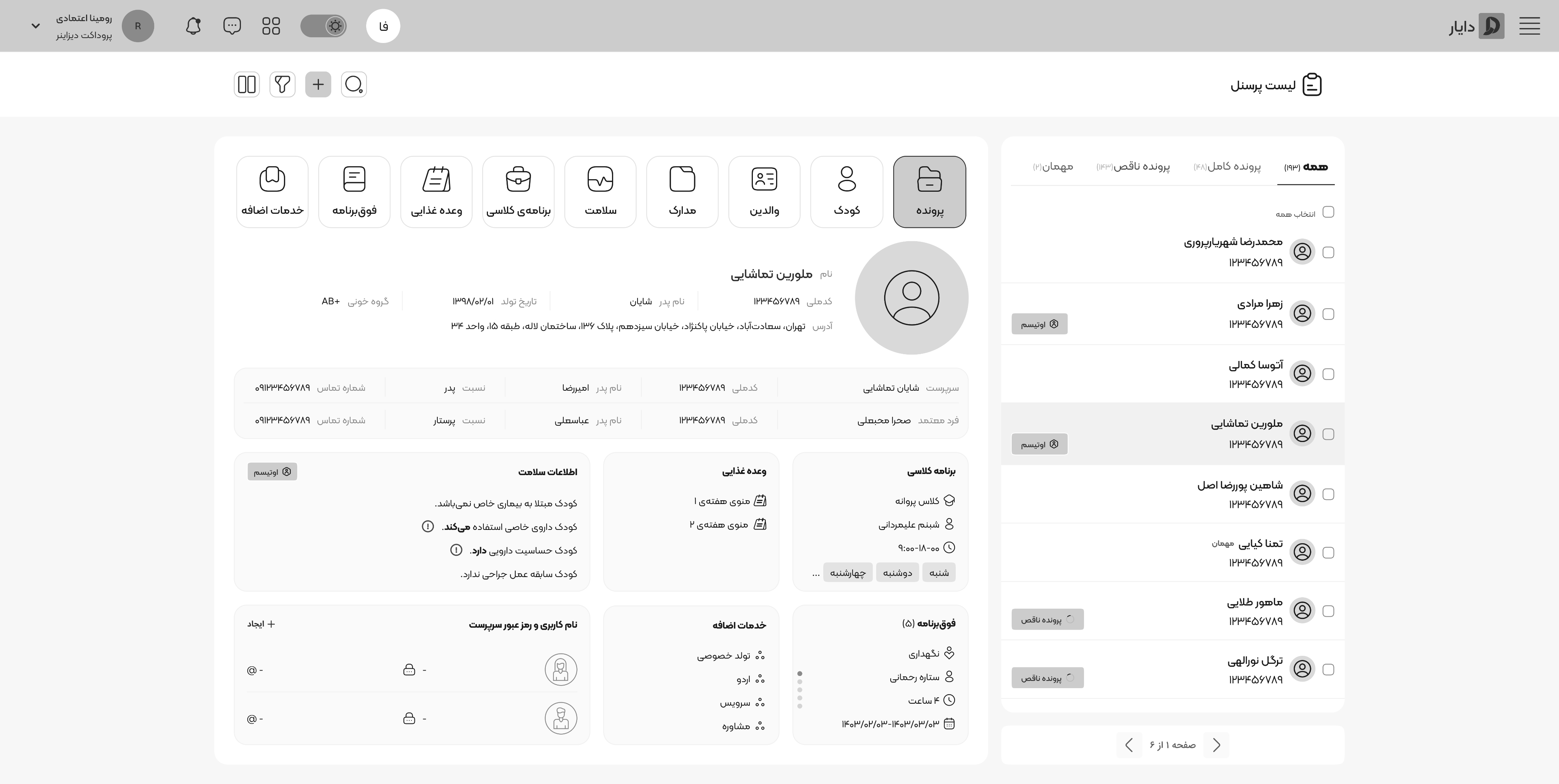
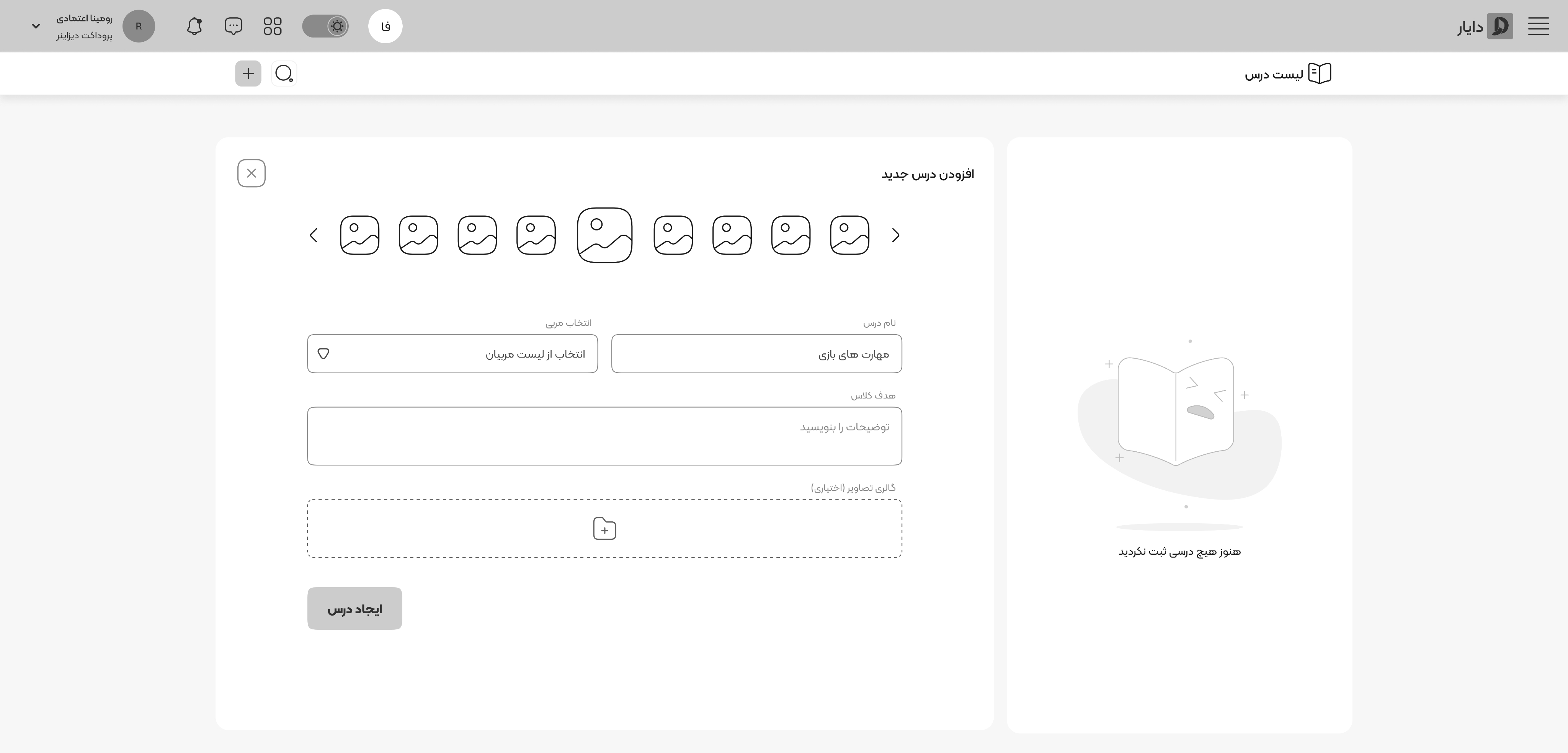
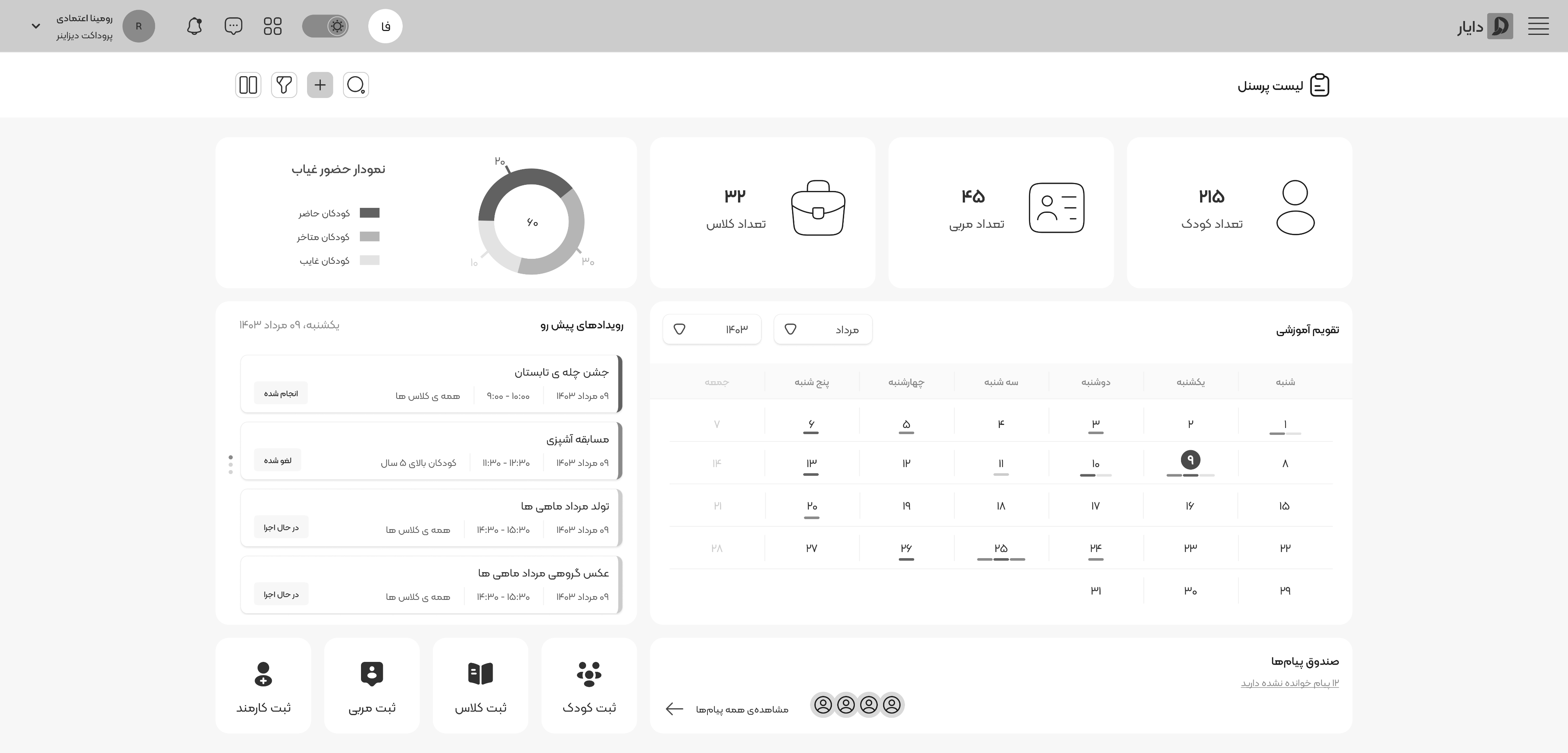
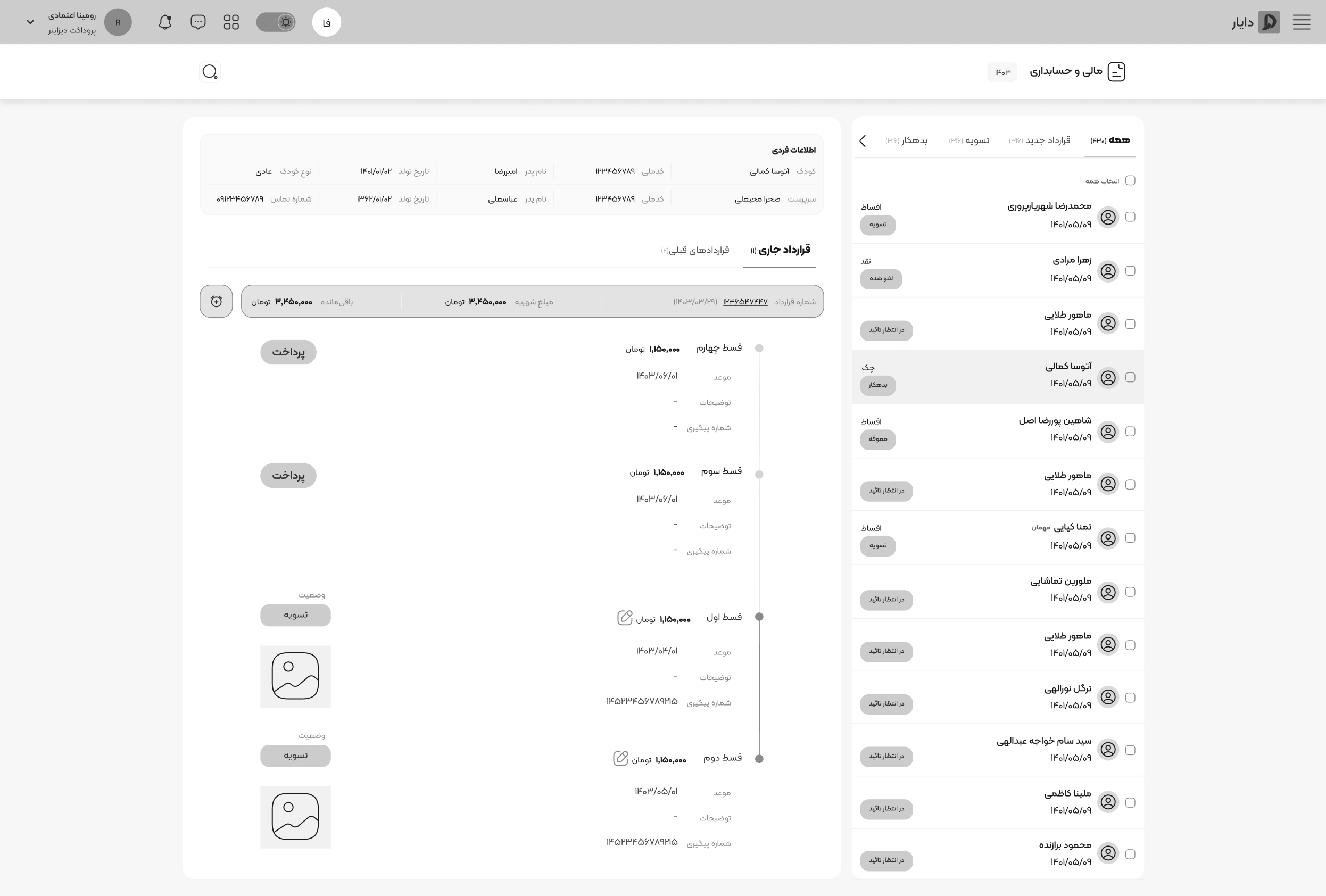
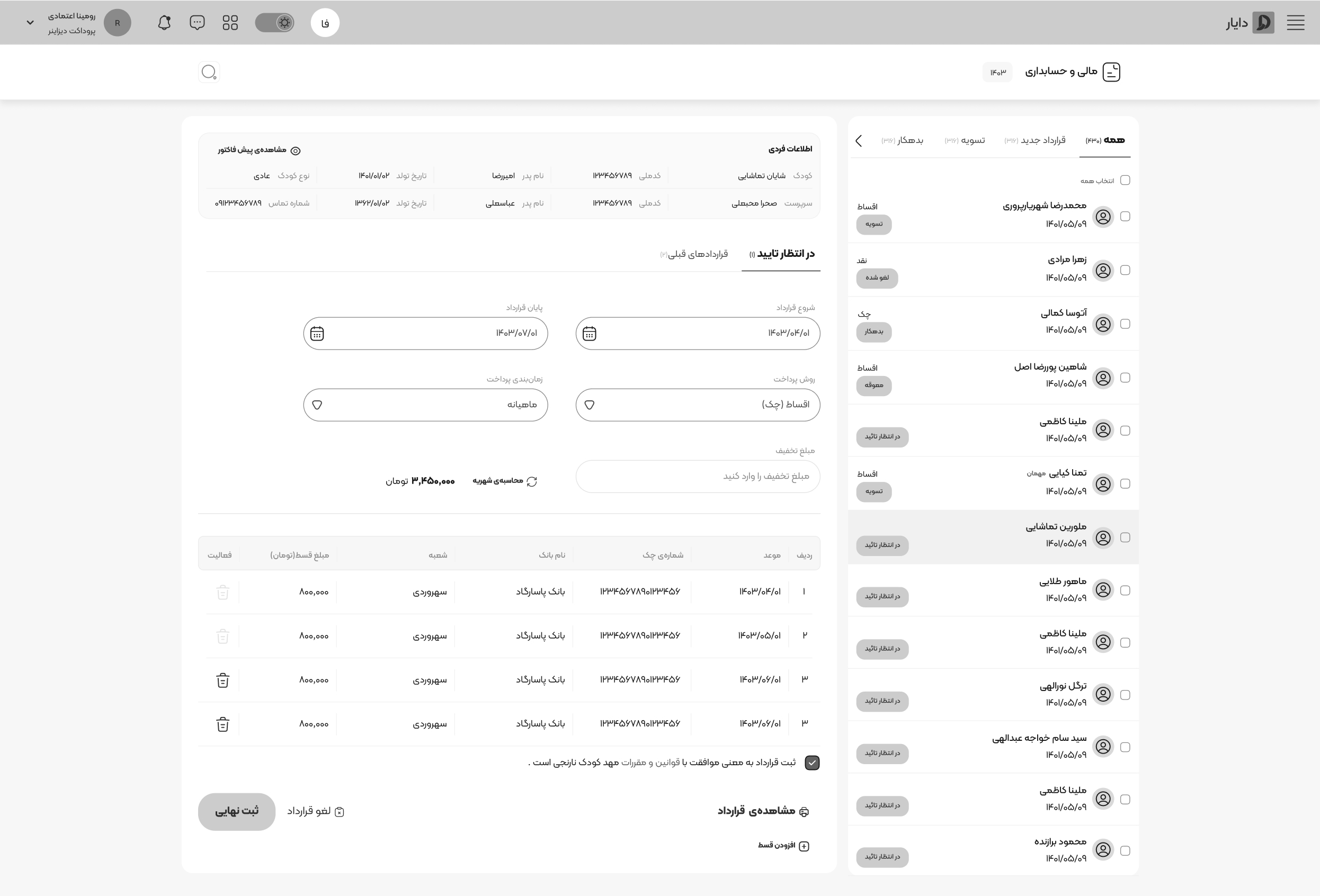
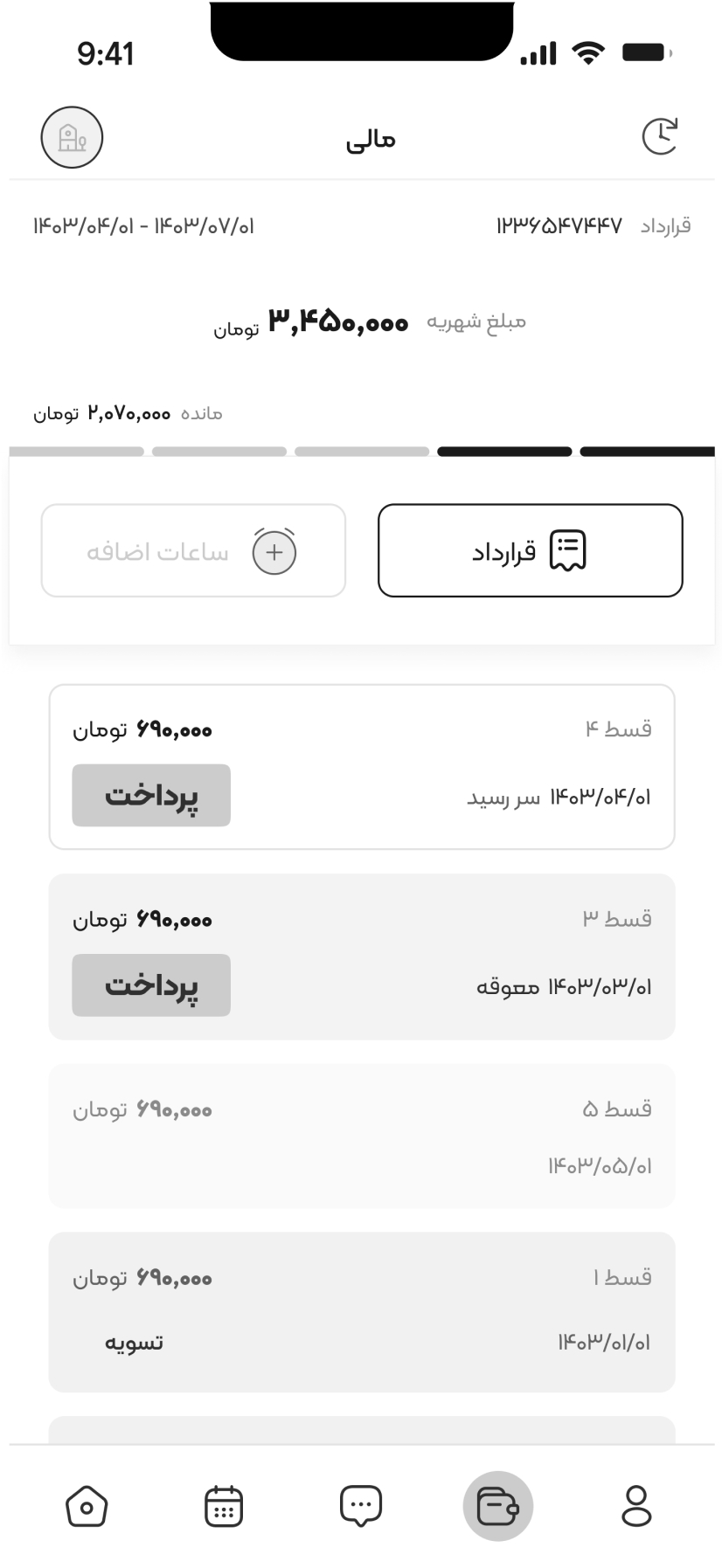
App hi-fi Wireframes
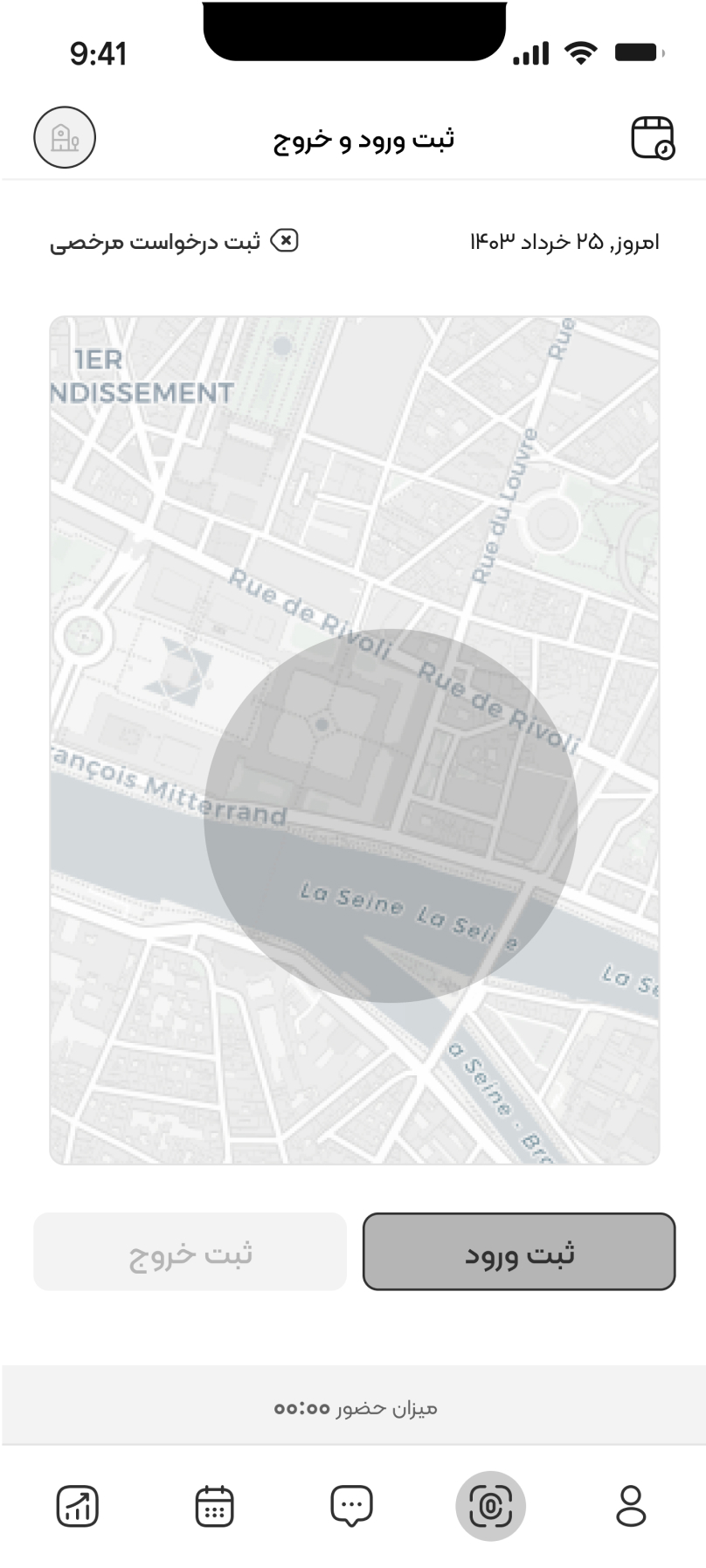
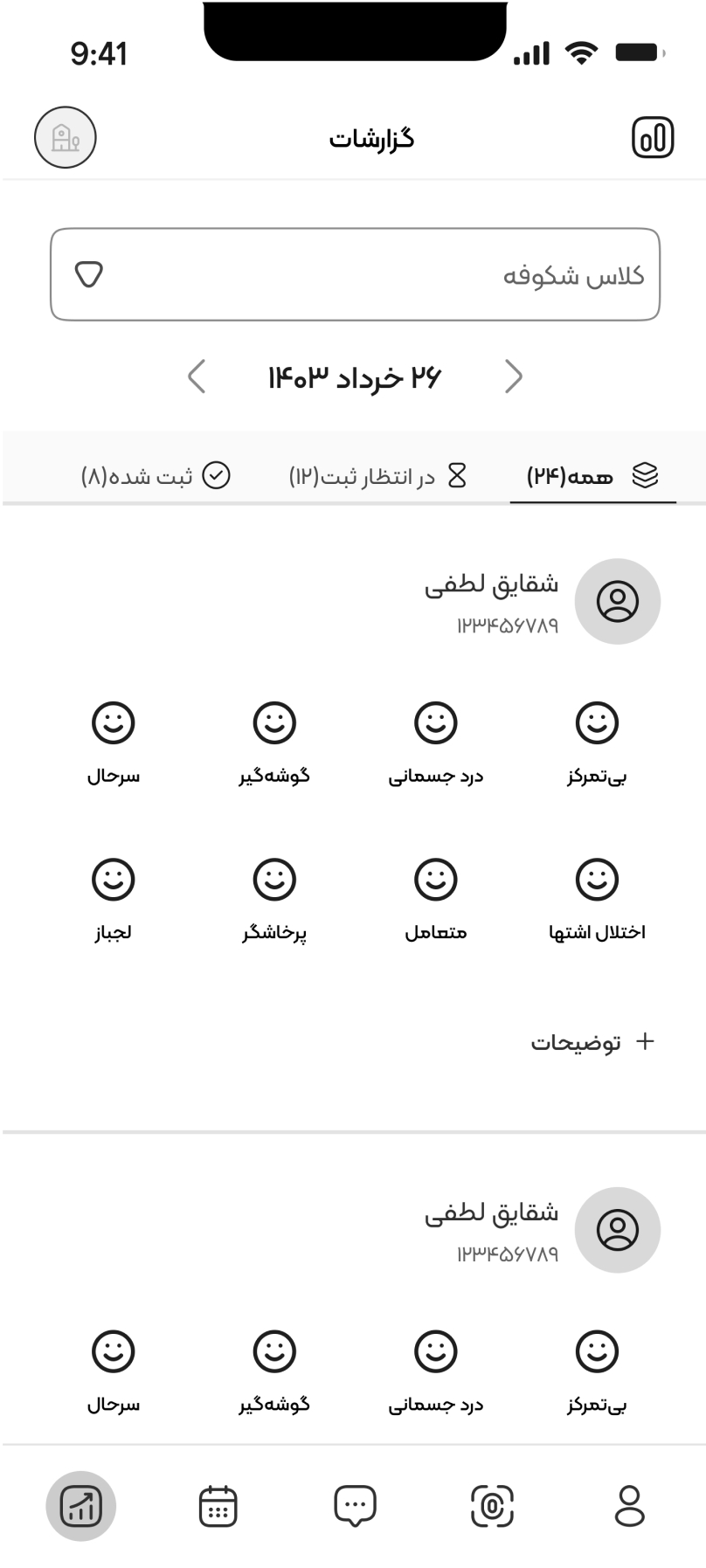
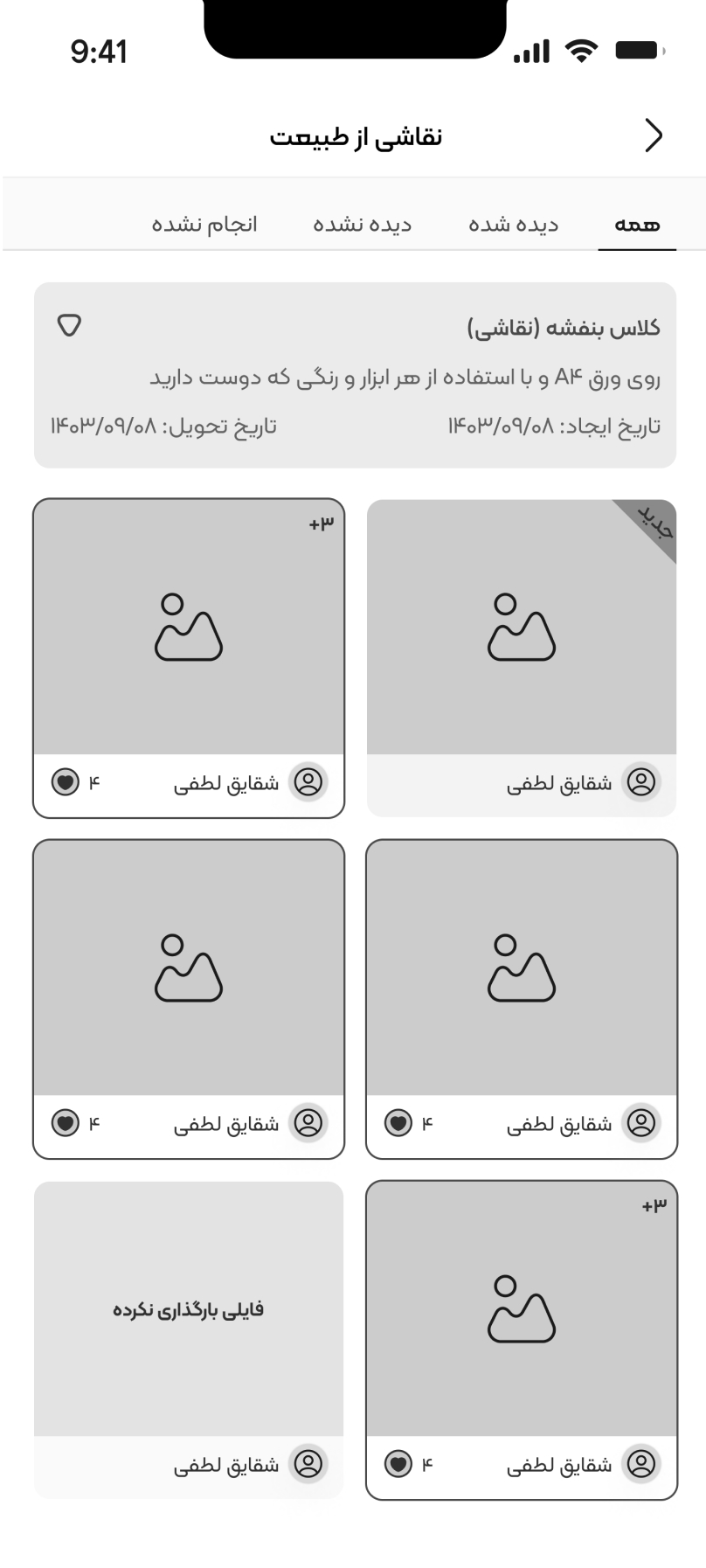
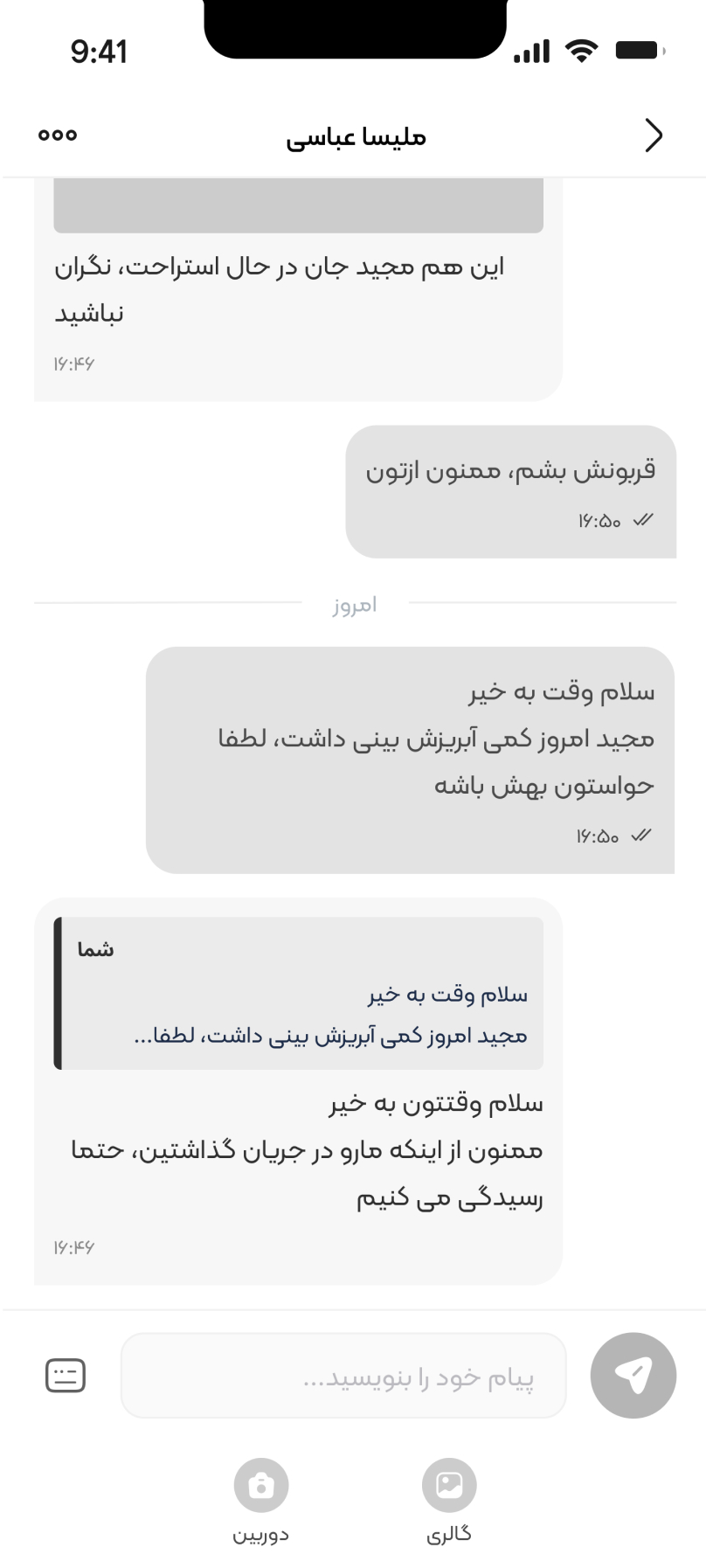

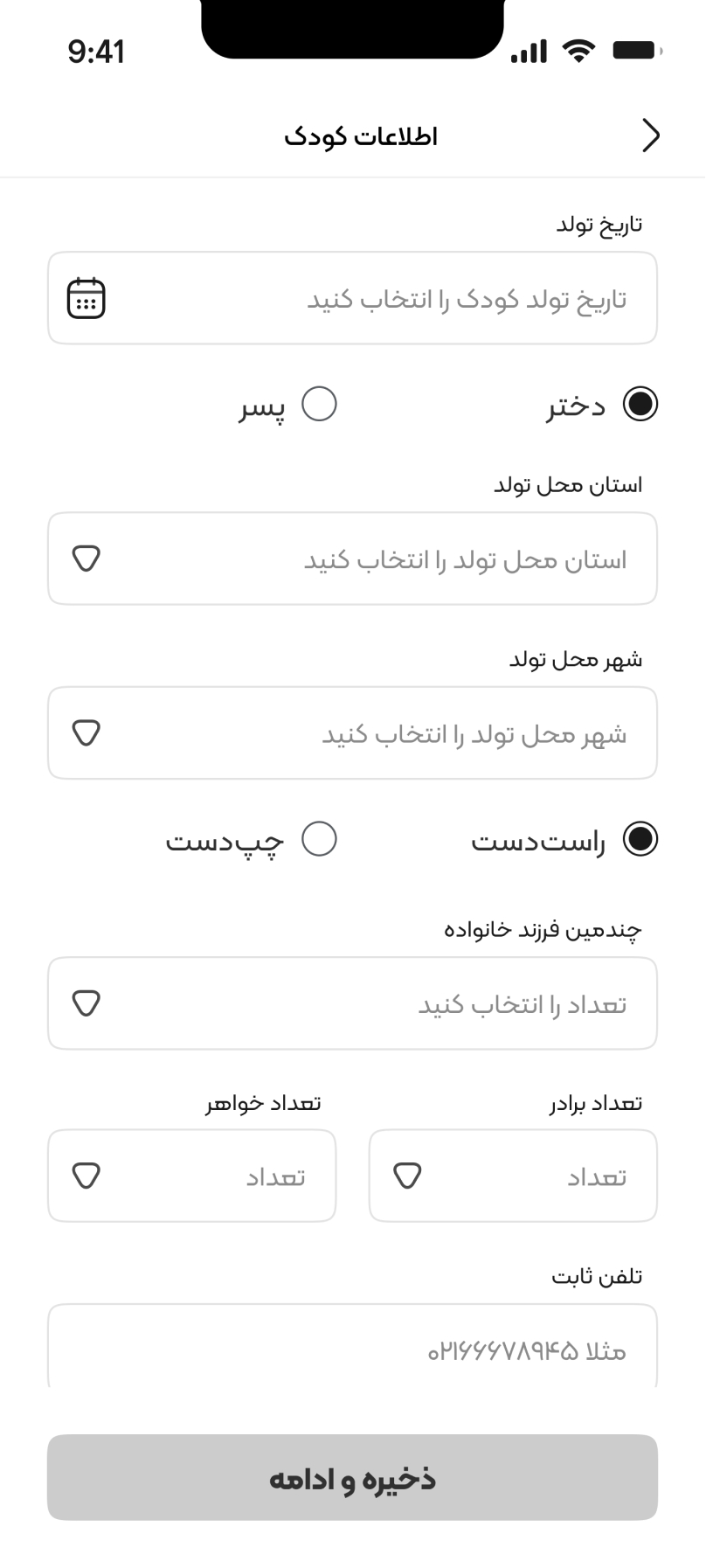
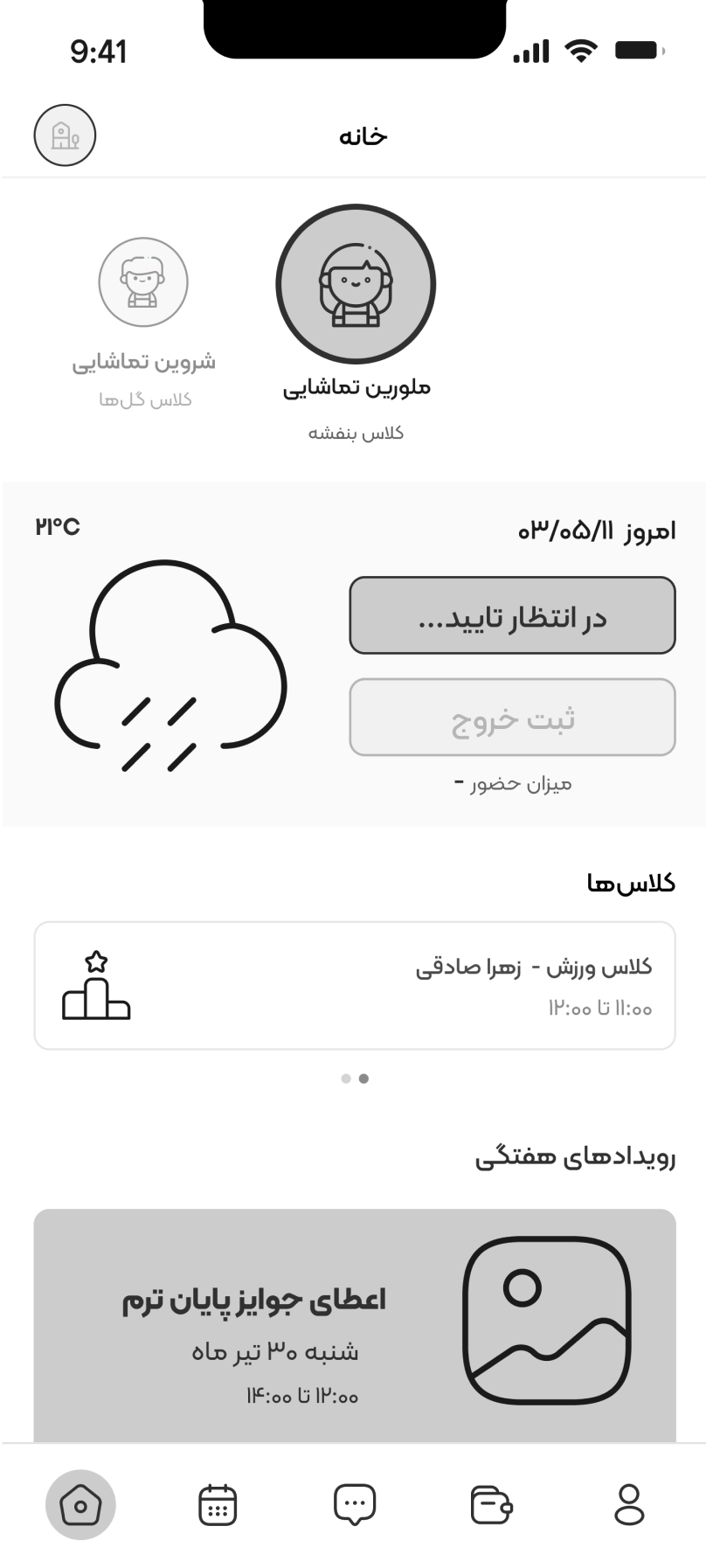
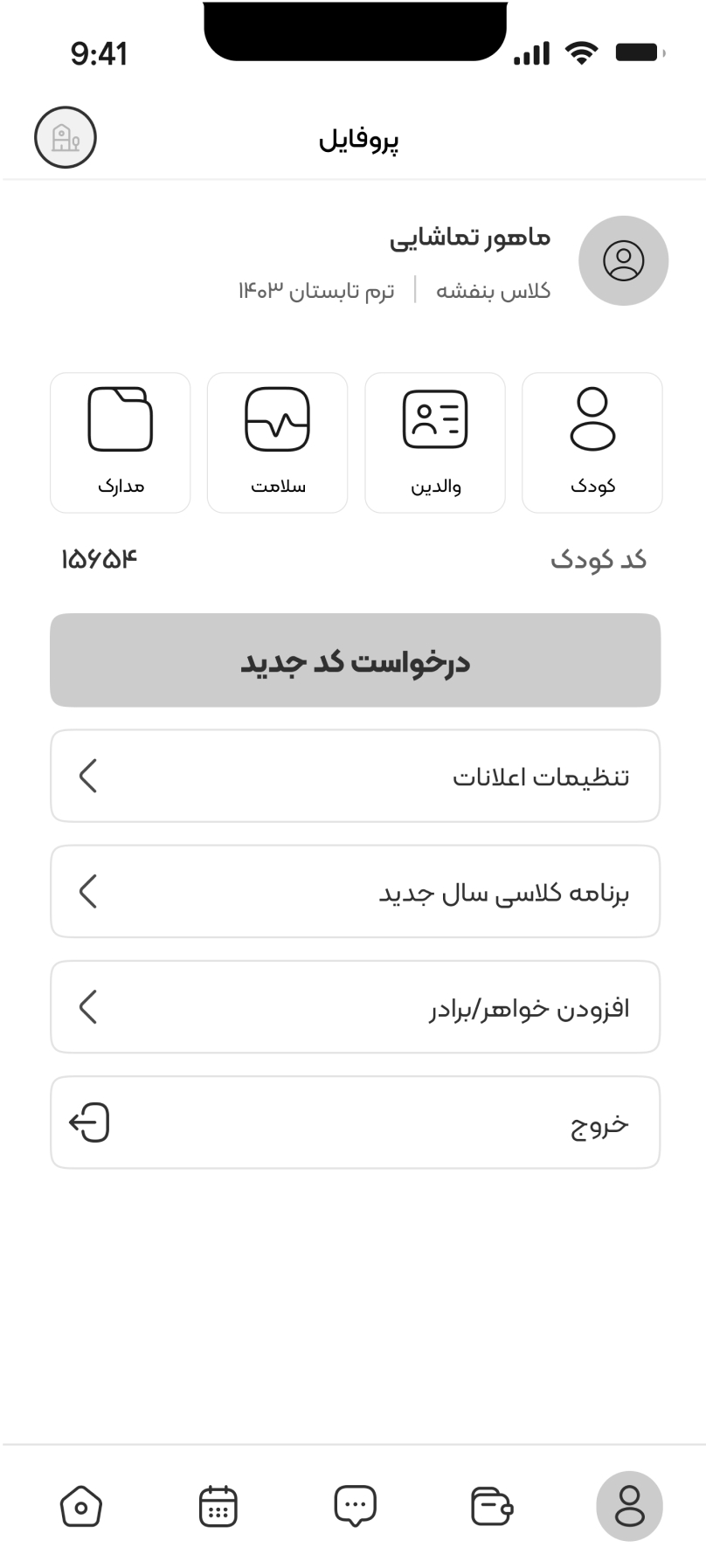
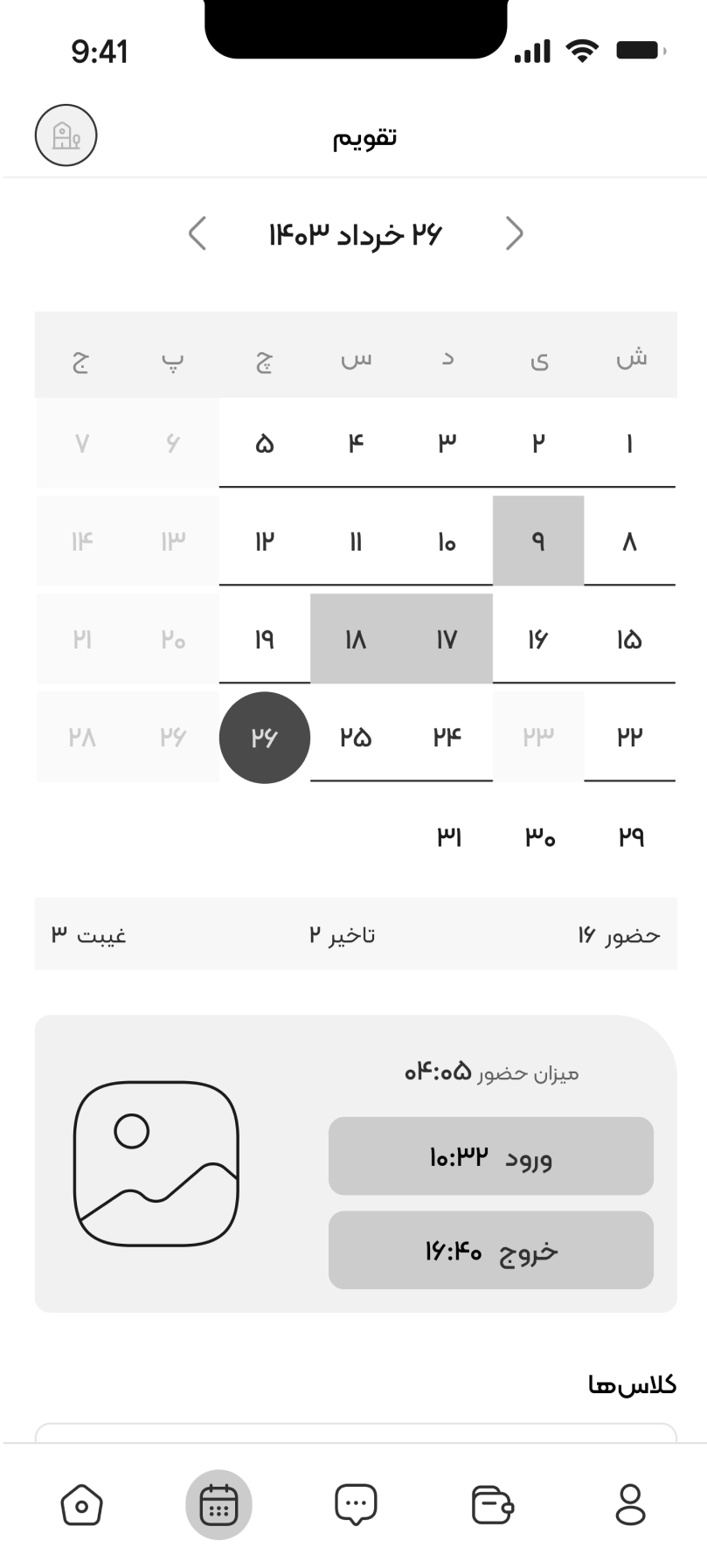

WEB DESIGN
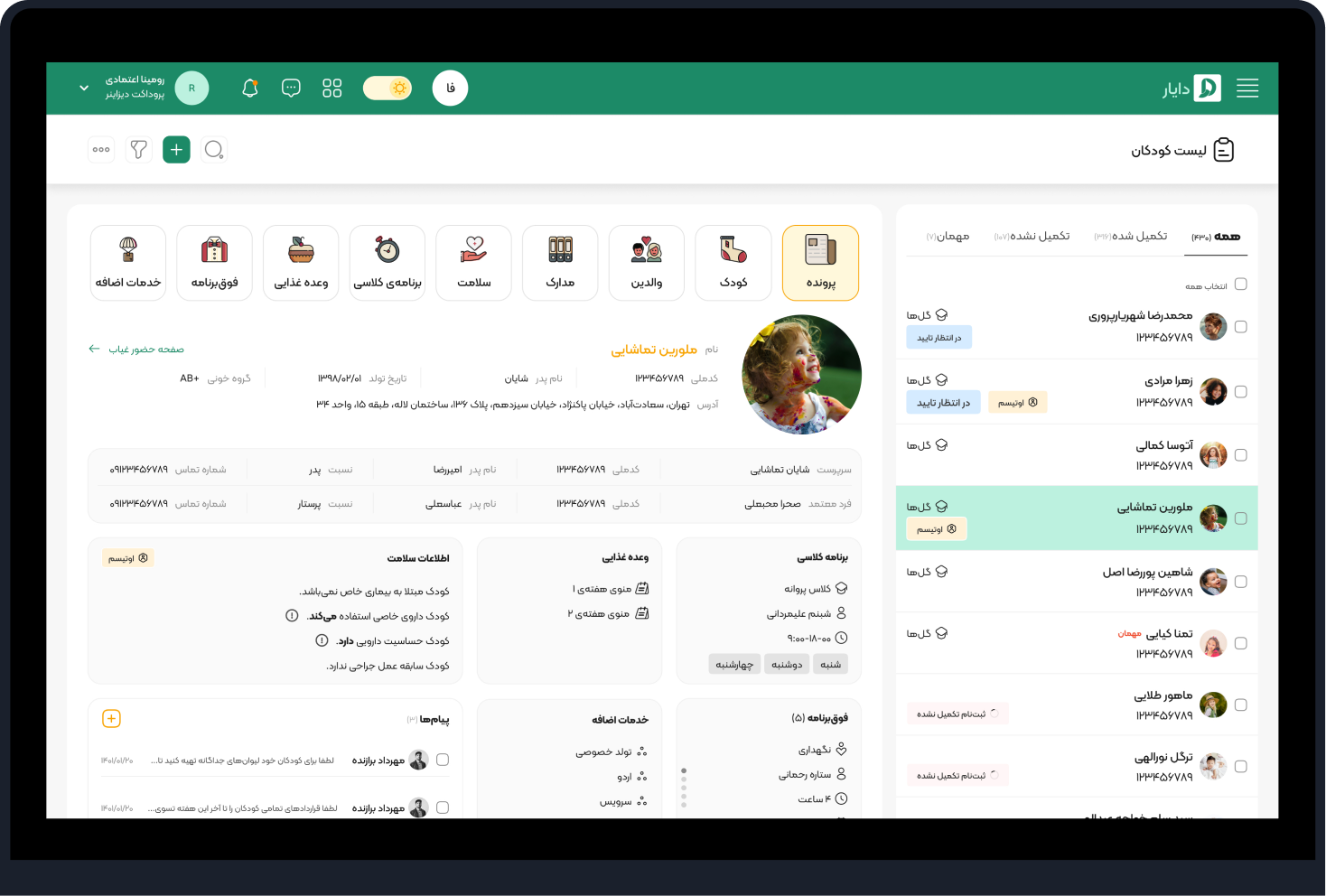
KID PROFILE

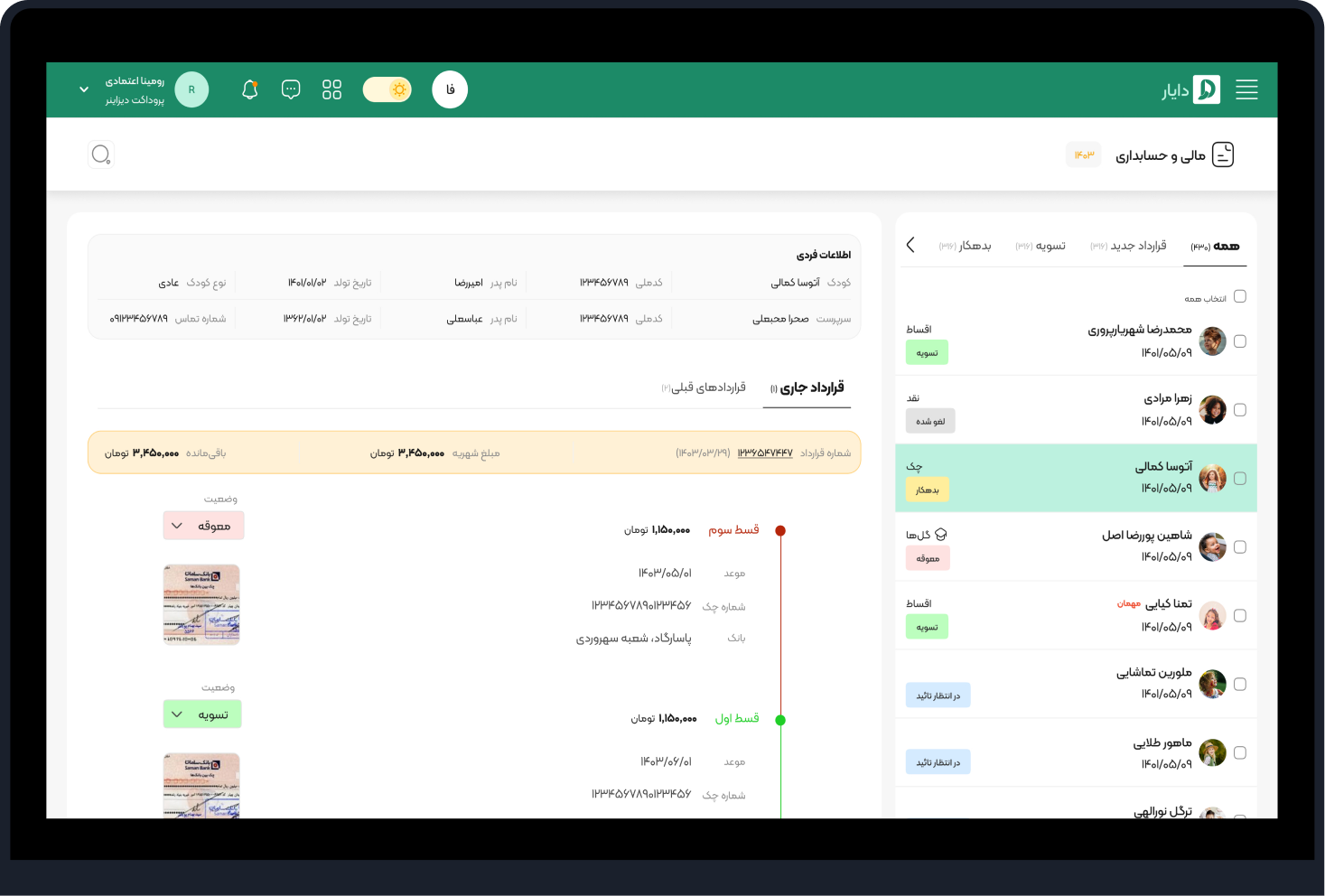

CONTRACTS
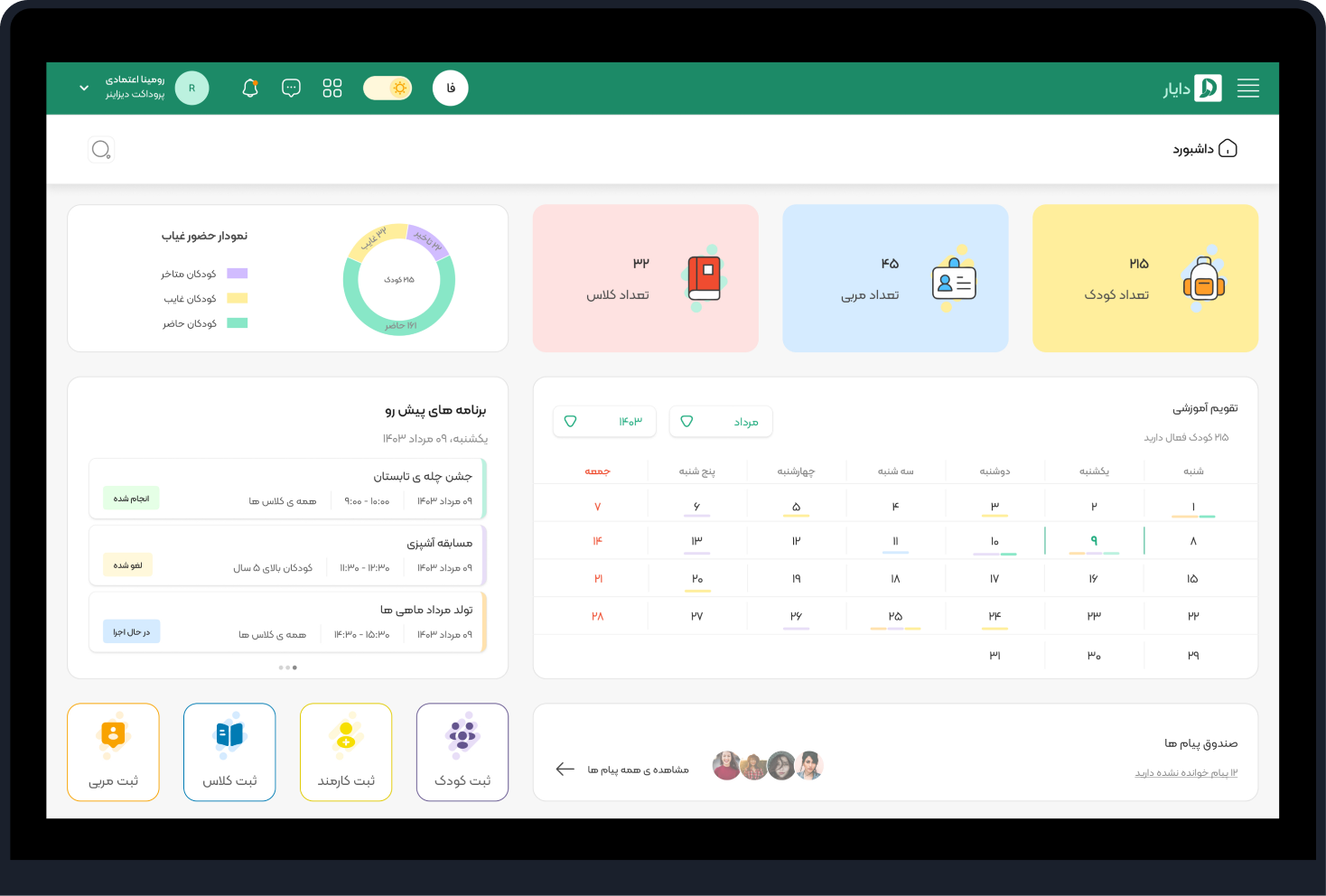
DASHBOARD

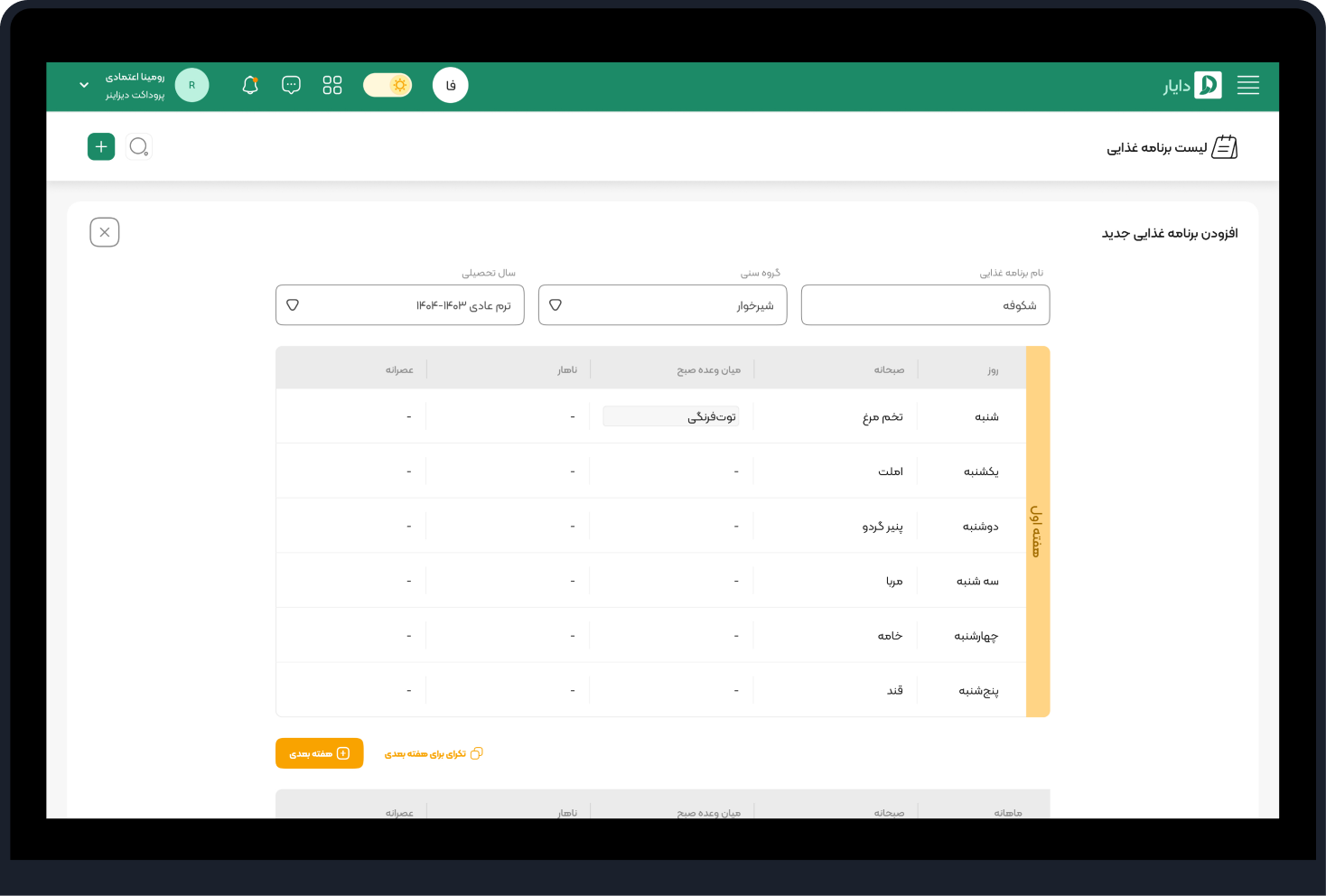
MENU CREATION
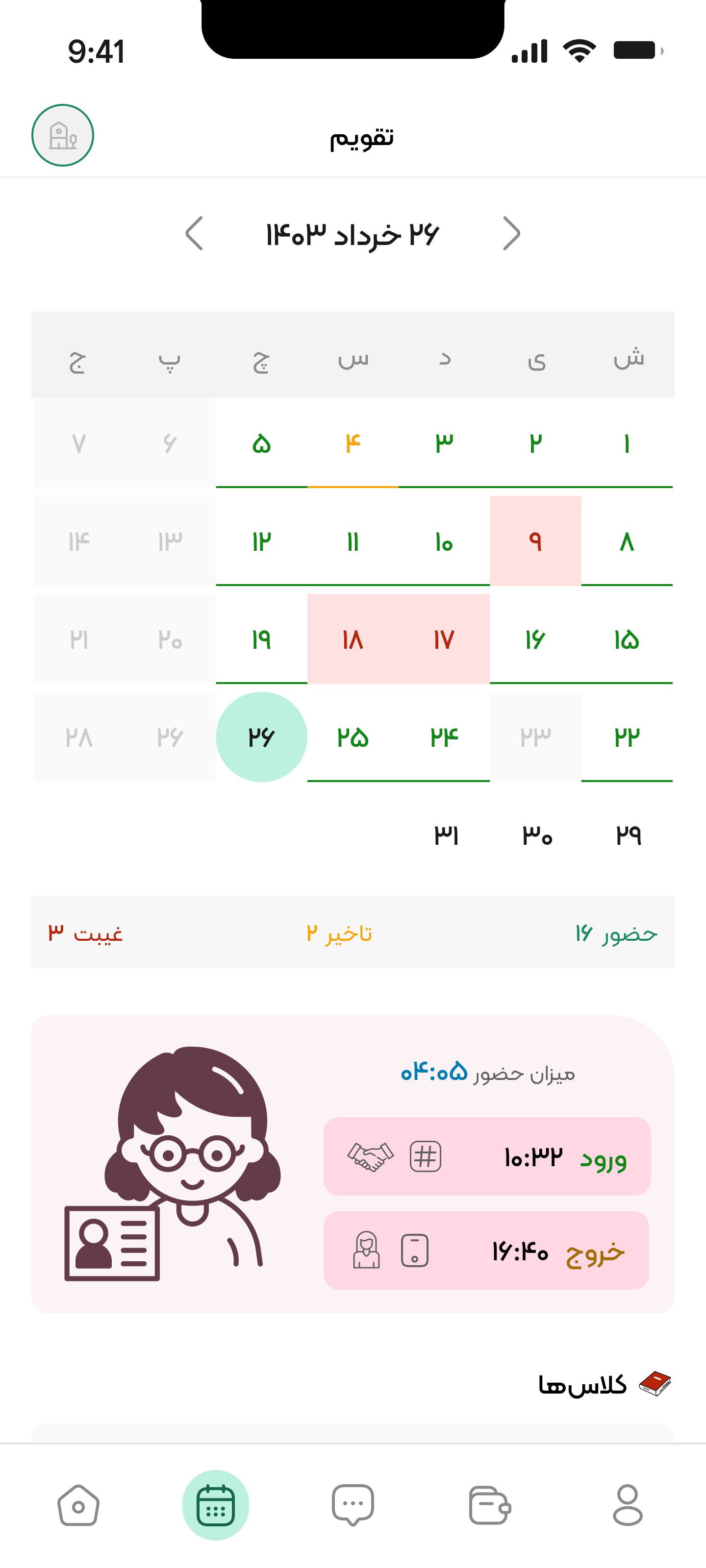
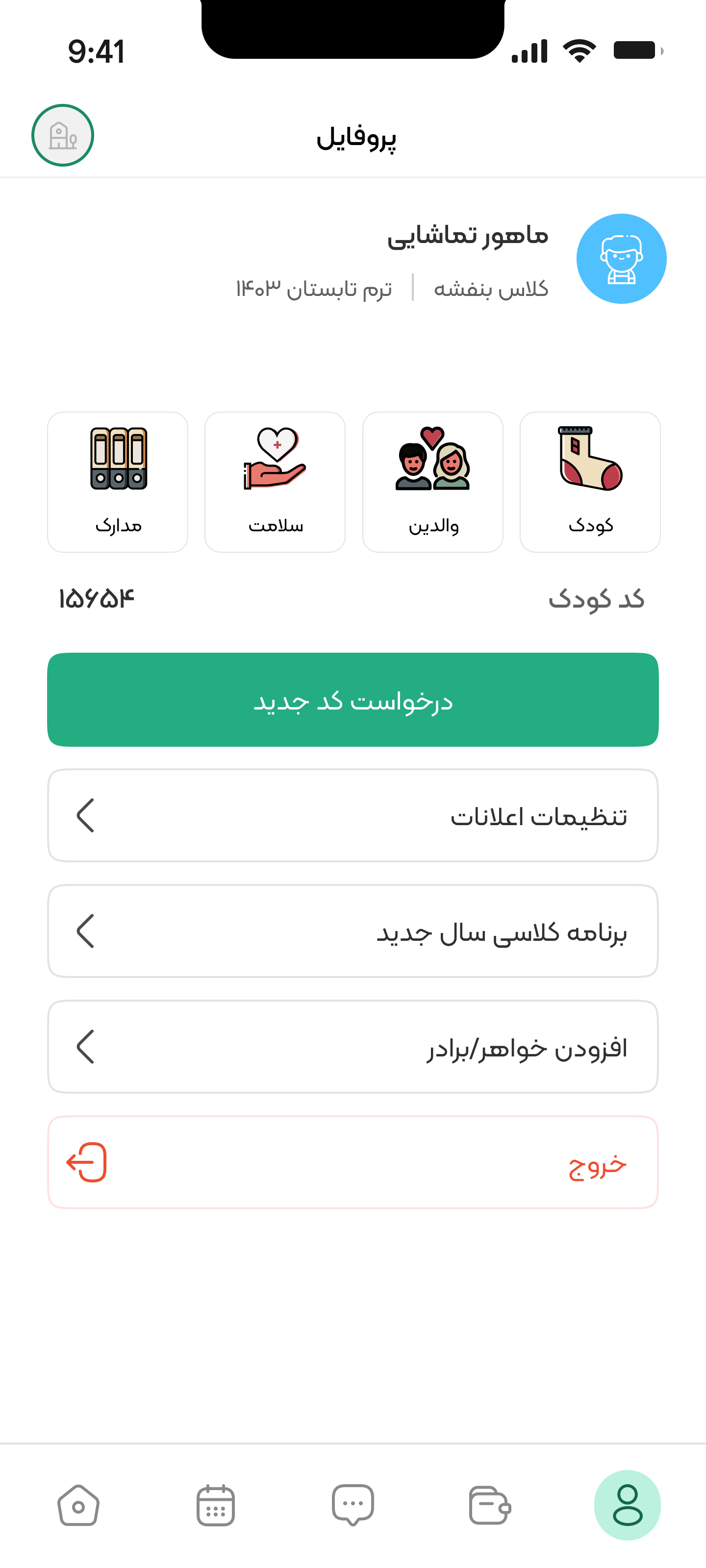
PARENTS APP DESIGN
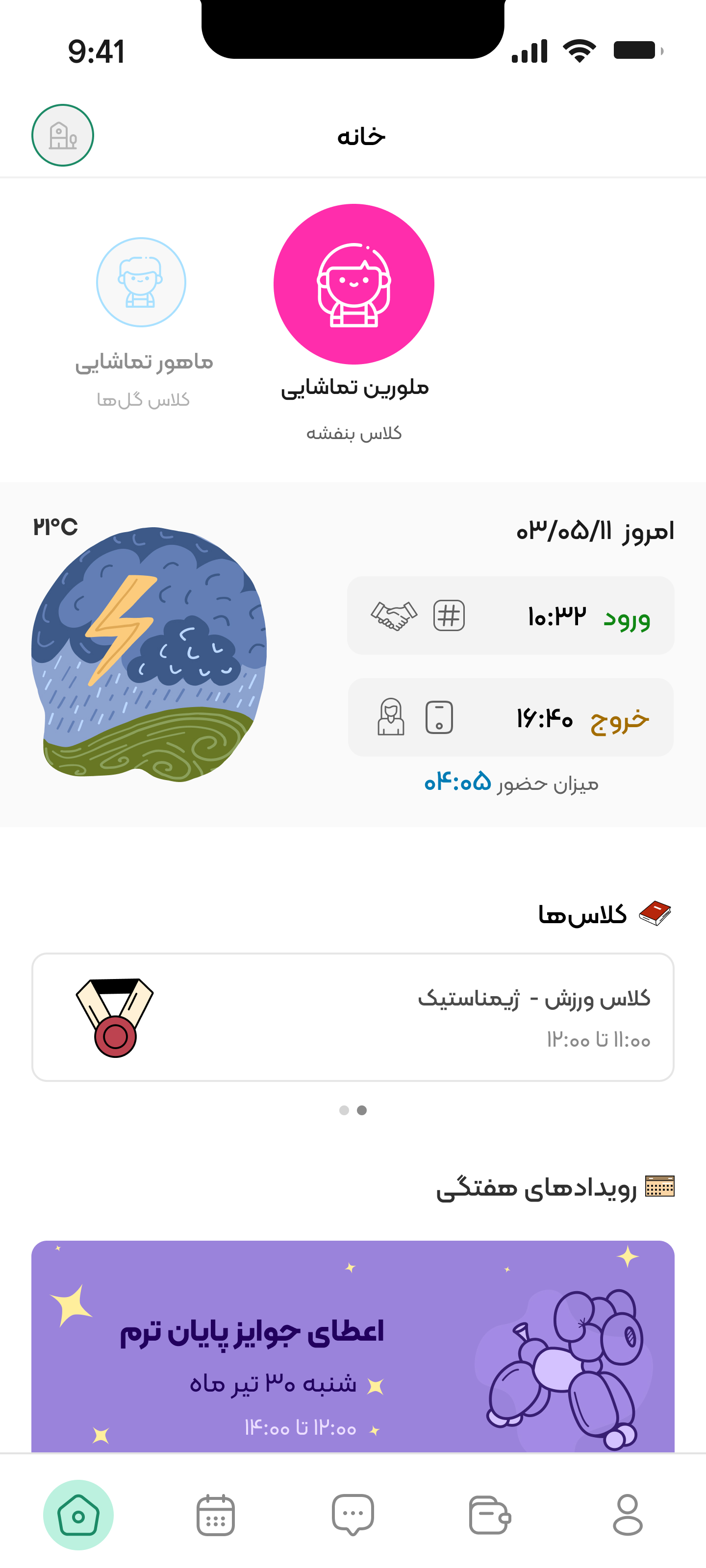

Home screen
ATTENDANCE
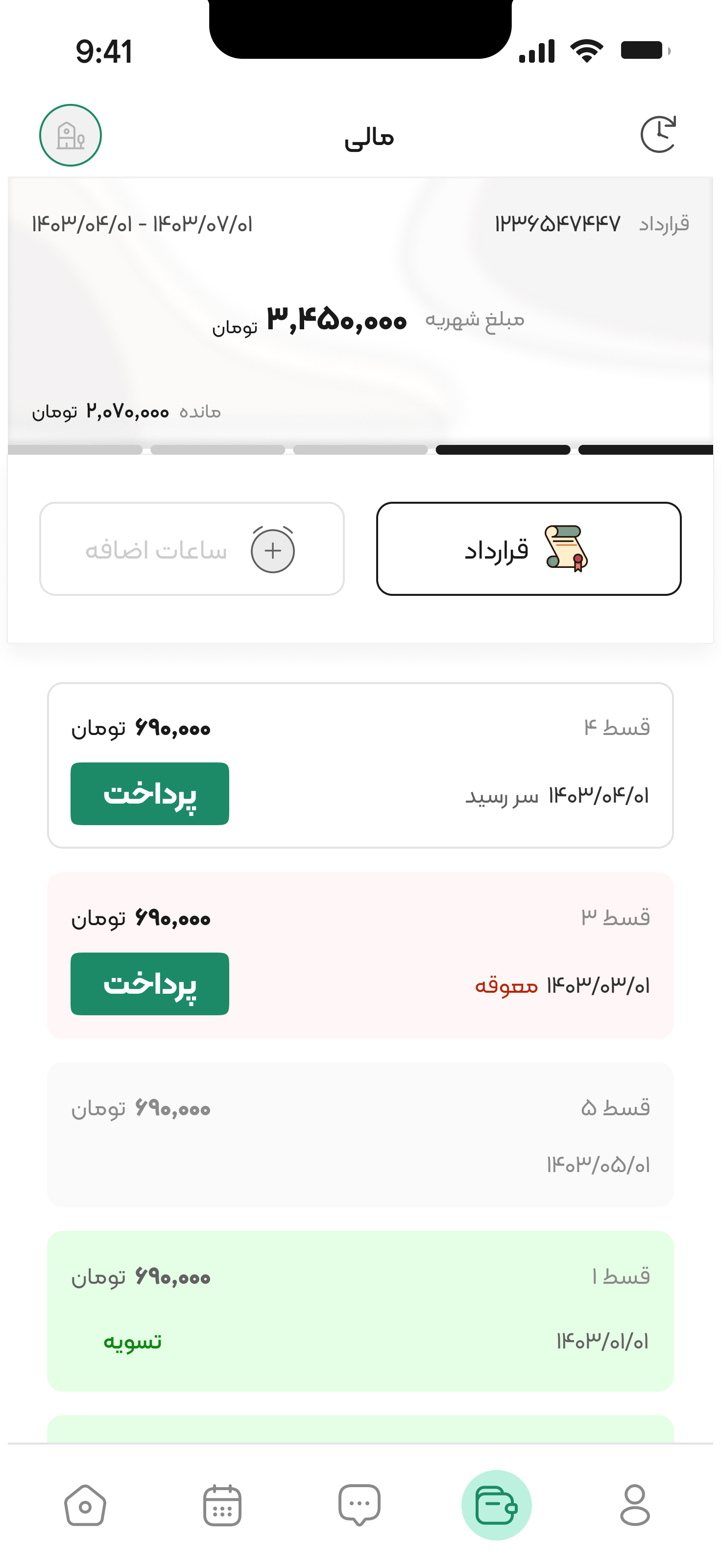
CONTRACTS
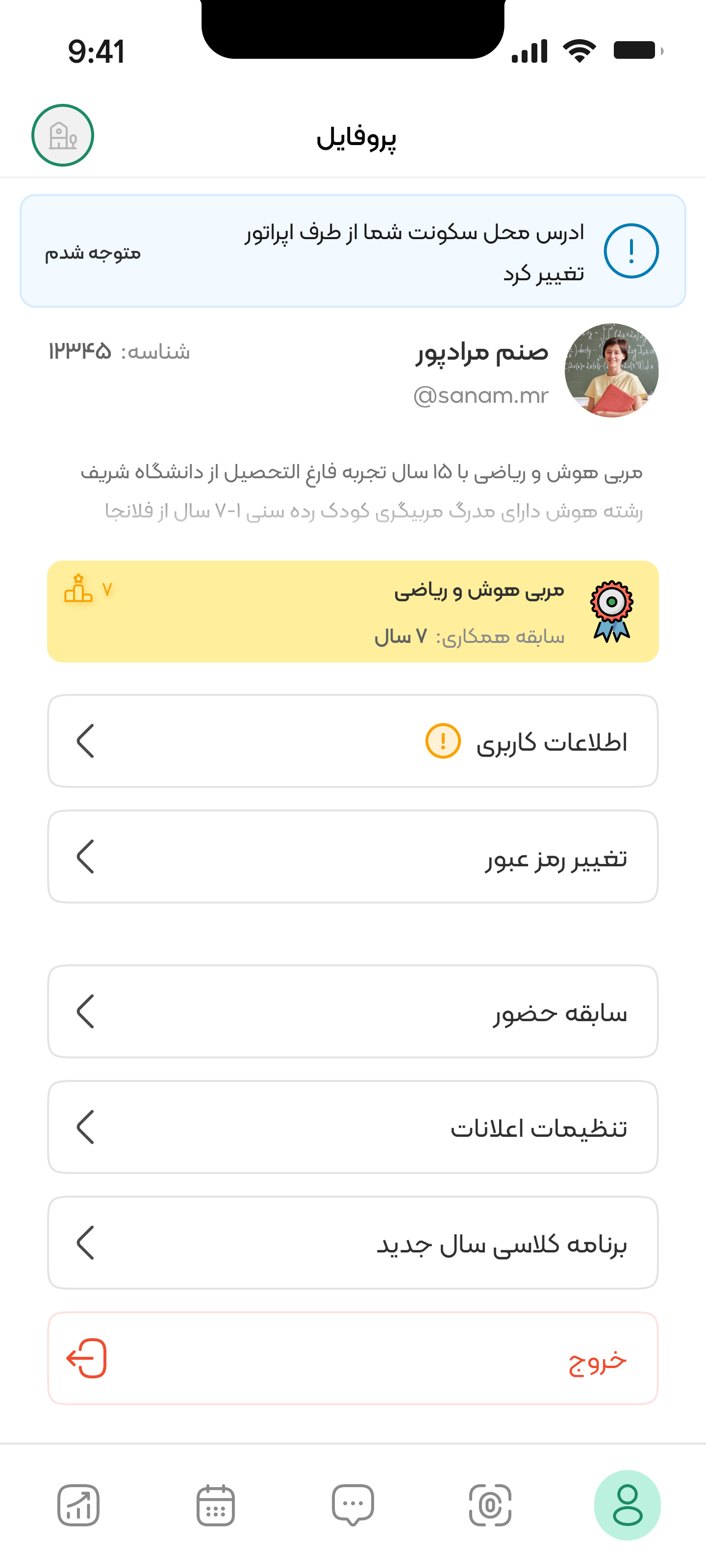
PROFILE
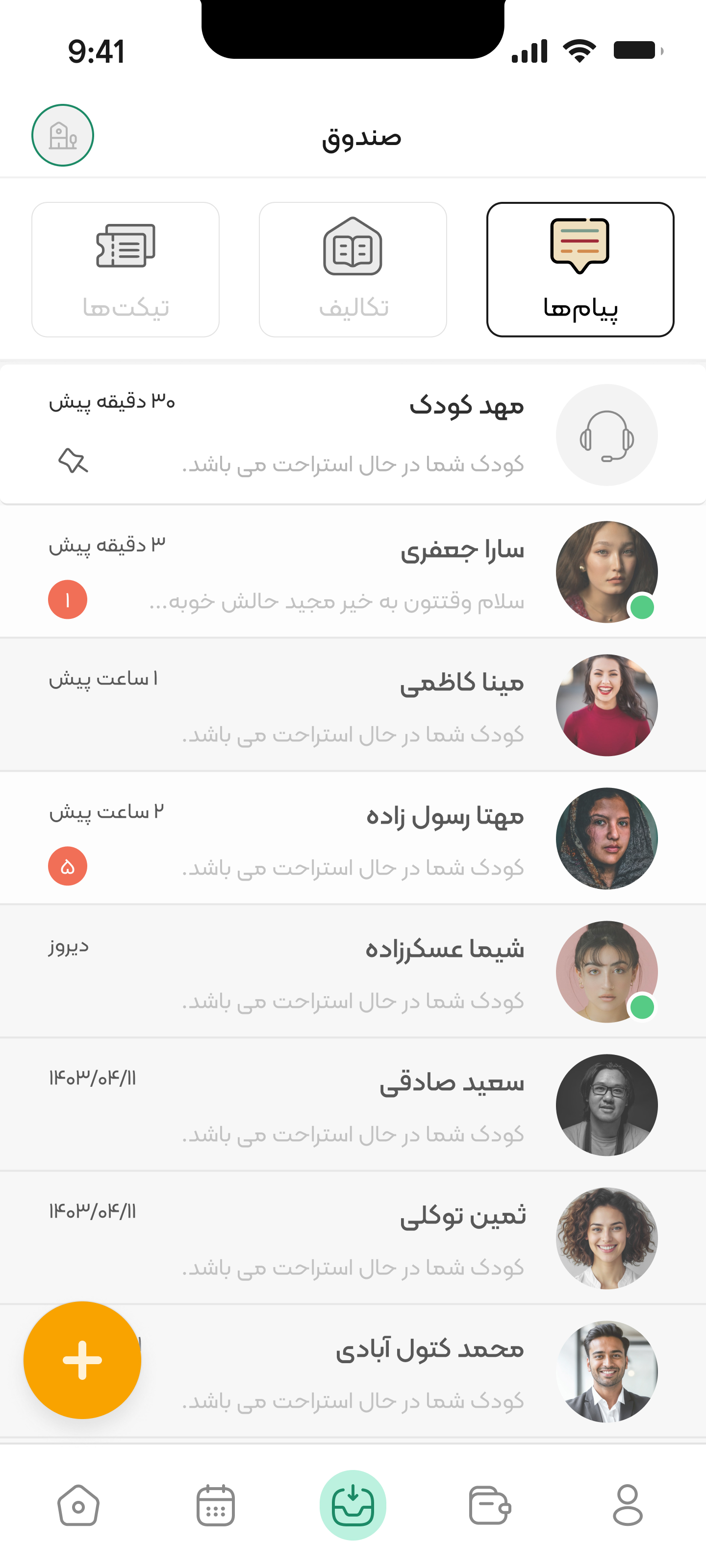
MESSAGES
TEACHERS APP DESIGN
Home screen
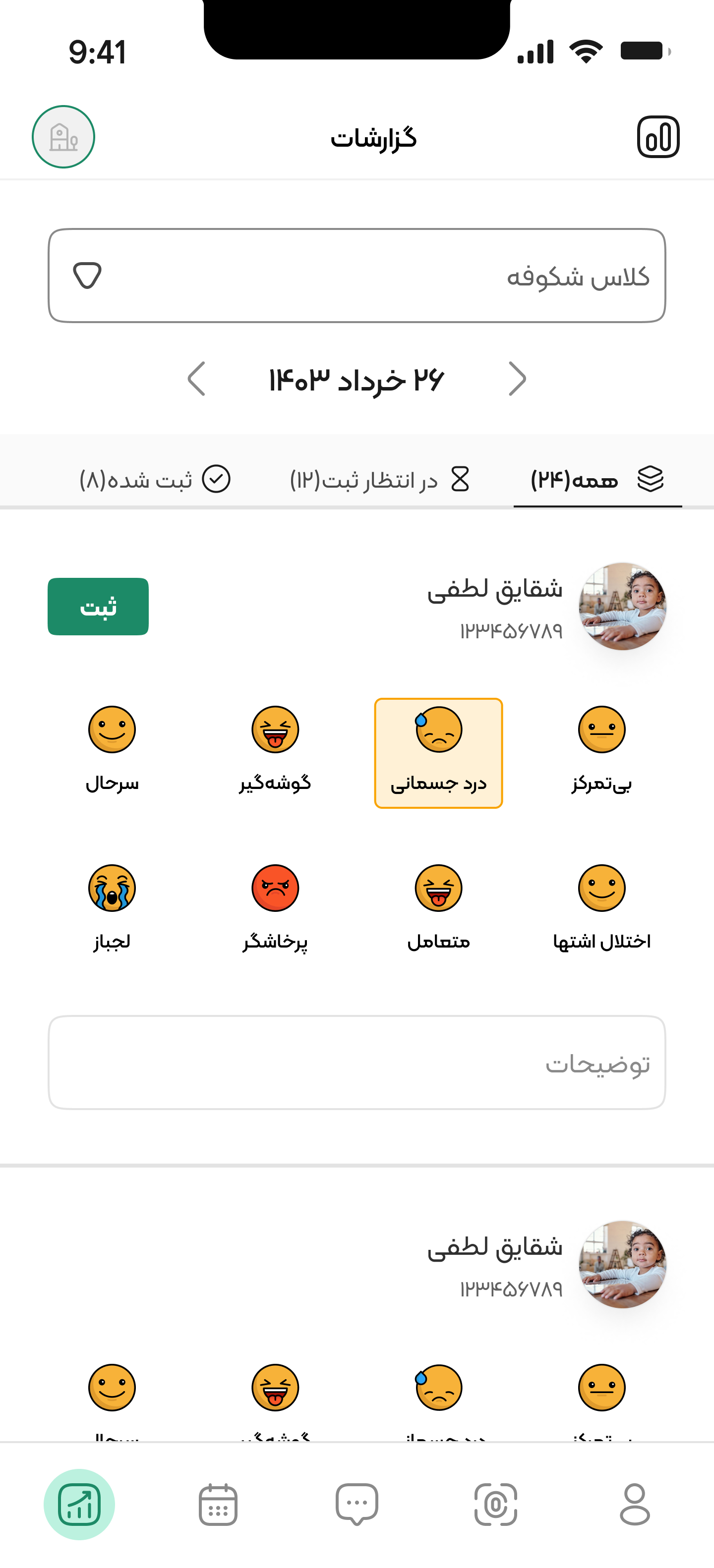
KIDS DAILY REPORTS
adding homeworks
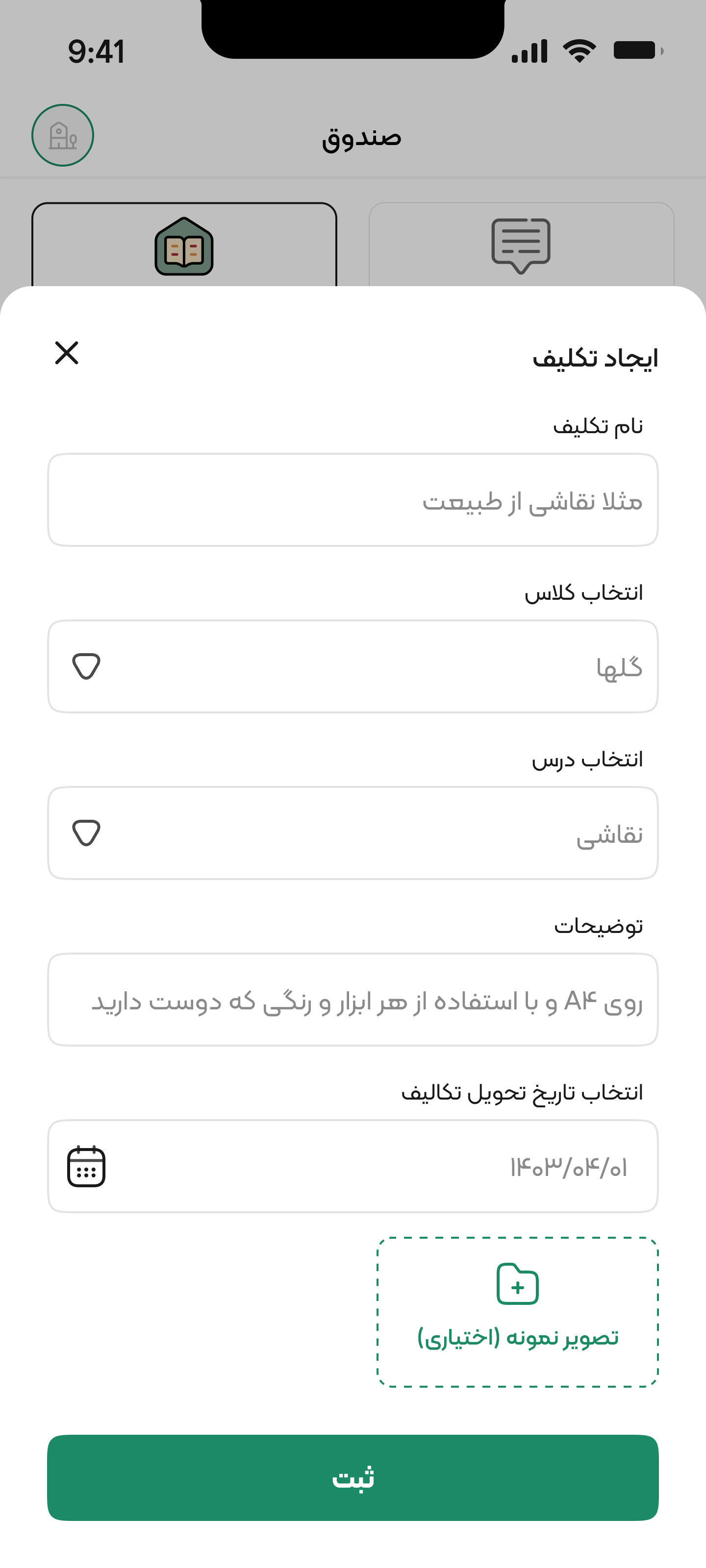
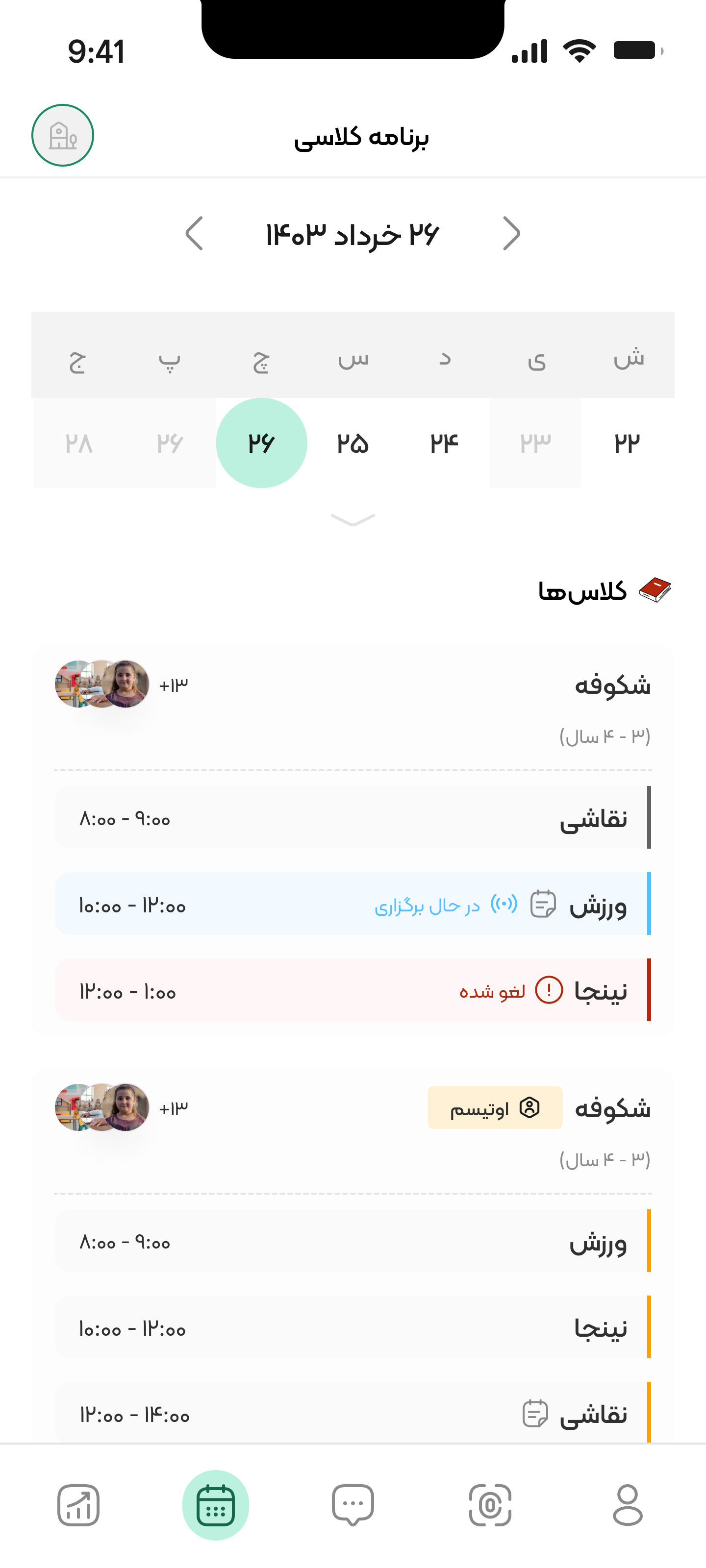
CLASS SCHEDULES
KIDS HOMEWORK
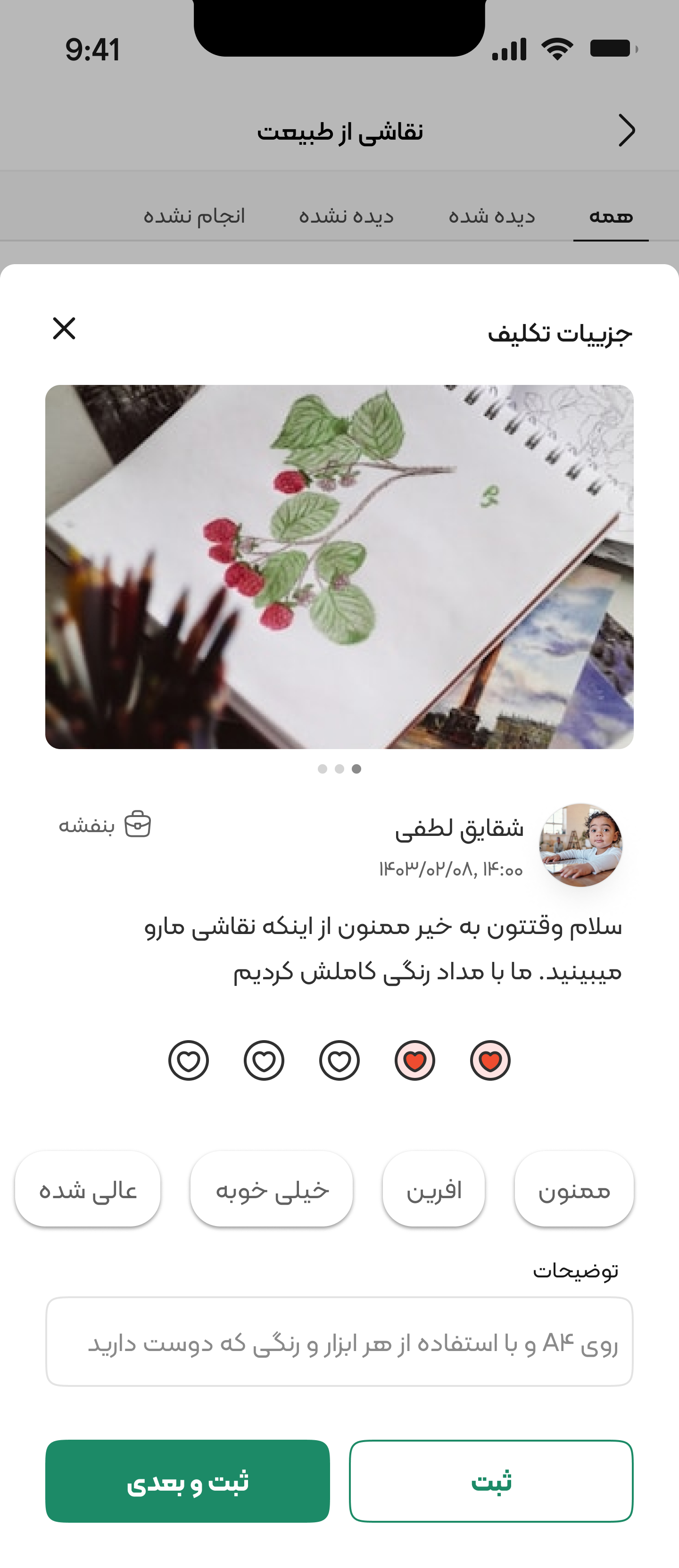
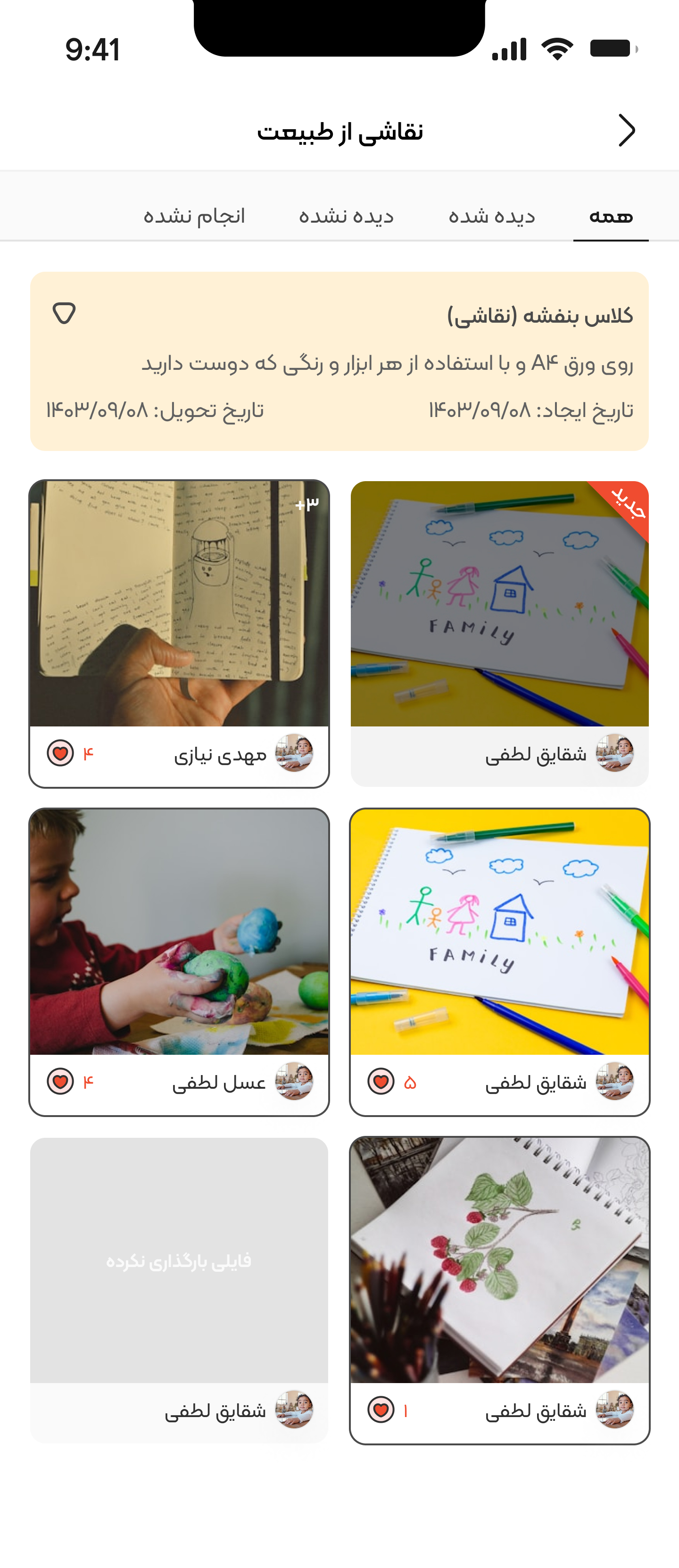
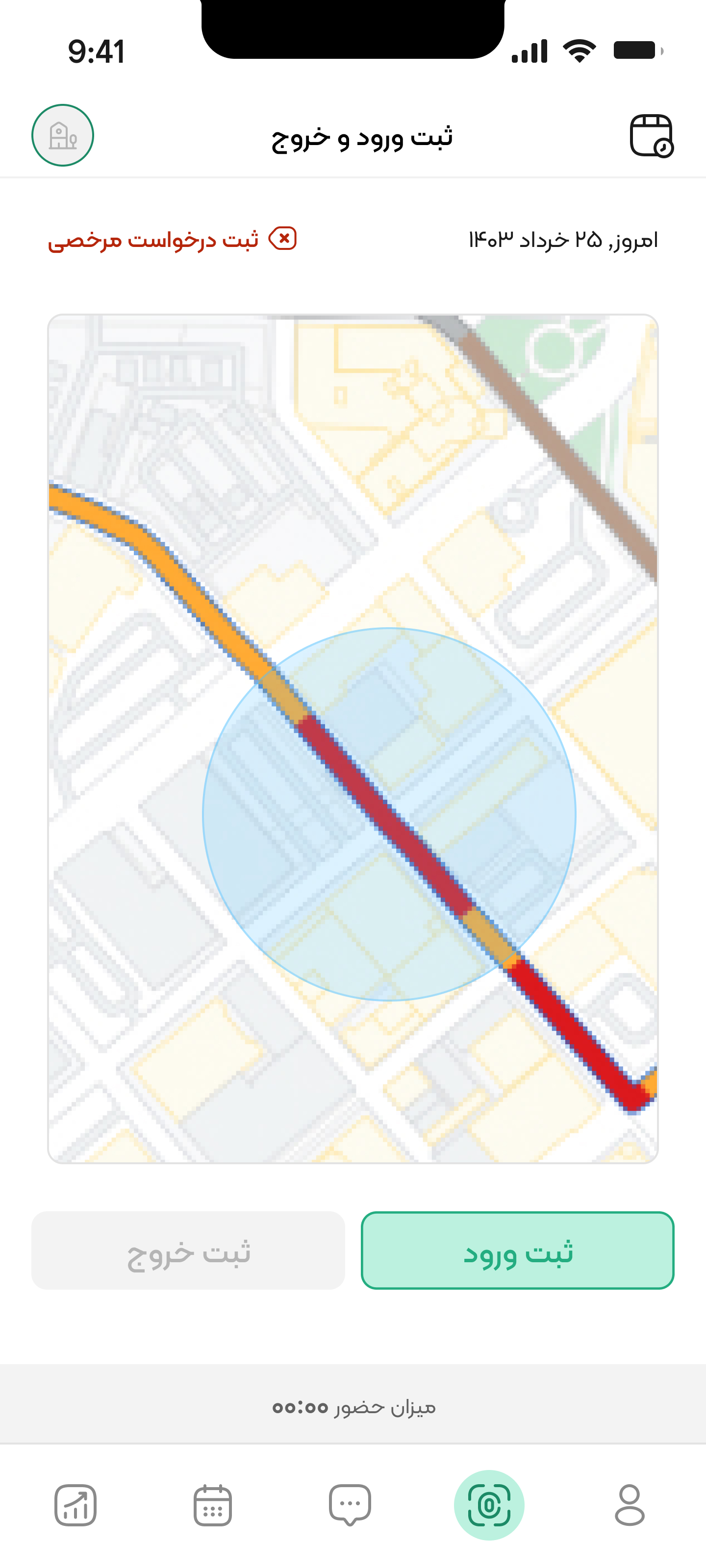
ATTENDANCE
Takeaways
Impact
The development of the kindergarten management software and mobile apps revolutionized the kindergarten's operational efficiency, enhanced communication between stakeholders, and greatly enriched the learning experience for the kids.
- Streamlined Operations: The software significantly reduced the administrative burden on the staff, enabling them to allocate more time to nurturing the kids and providing high-quality education. The automated financial reporting system eliminated errors, ensured transparency, and empowered the administration to make data-driven decisions.
- Improved Communication: The mobile apps fostered a strong sense of community by facilitating seamless and transparent communication among parents, teachers, and the administration. Parents gained easy access to real-time updates about their child's progress, while teachers could efficiently share information and address concerns. This open dialogue strengthened trust and collaboration, leading to a more supportive environment for the kids.
- Personalized Learning: The software's ability to track individual kid progress allowed teachers to adapt their teaching strategies, resulting in a more inclusive and personalized learning experience. Kids benefited from tailored lessons that catered to their unique strengths and areas of improvement.
- Enhanced User Experience: The user-centered design of the apps ensured an intuitive interface that was easy to navigate and accessible for all users. The result was an engaging, inclusive, and enjoyable experience for parents, teachers, and kids alike.
Key Learnings
- The importance of stakeholder involvement in the design process, as their input and feedback contributed to the creation of an effective and user-friendly solution.
- Prioritization of security and data privacy measures to protect sensitive information and maintain trust.
- Striking the right balance between functionality and ease-of-use to deliver a powerful yet intuitive solution.
- The value of continuous user feedback in refining the software and apps to keep them relevant, effective, and responsive to evolving needs.
- Effective communication and collaboration within the project team were vital for meeting deadlines, addressing challenges, and delivering a superior product.
This project underscored the transformative potential of well-designed, user-centered software solutions in early kidhood education, paving the way for future innovations in the field.
DAYAR
As we wrap up this case study, we sincerely thank you for your time and interest in our kindergarten management software and mobile apps. We are currently developing role-specific case studies to cater to the unique needs of parents, teachers, and administrators, which will be available soon. Your engagement reflects a shared commitment to enhancing early childhood education through innovative solutions.
THANK YOU!
Your Feedback is Welcome!